
Tech
WordPress Launches Free Student Plan


WordPress has a simple pitch for students: build now, worry about paying later.
The company has launched WordPress.com Education, which gives eligible students a free Student plan for their first 12 months. TechCrunch reports that WordPress has already tested the program with more than 5,000 students across 27 countries.
Students will be given a chance to build and experiment with real websites while learning skills that can carry beyond the classroom. According to TechCrunch, 88.9% of educators involved in the program said it improved students’ employability, while 81.5% said it strengthened their entrepreneurial skills.
For Automattic, WordPress’ parent company, the timing stands out as social platforms increasingly compete with traditional websites for the attention of young creators who want to build an audience online. WordPress’s response is to put more of its paid web-building tools in students’ hands for a year at no cost.
What’s included in the plan
Despite being a student plan, WordPress.com left in many of the features needed to run a standard website. In the company’s announcement, WordPress.com said the plan includes everything in its Personal plan, including an ad-free experience, plugin installation, extra themes, an Activity Log and tools for changing site colors and fonts.
The plan also includes 6GB of storage, backups, staging sites, SFTP/SSH access, phpMyAdmin and Studio Sync, giving students access to a much more capable web-building environment.
Students with the plan will also be able to use a free .blog or .art domain, giving them a dedicated web address for their sites from the start. The plan is therefore designed to support more than just classroom exercises, allowing students to build sites that can also serve as portfolios or other personal projects.
WordPress also said Student plan users will have access to its Happiness Engineers for account, plan, and hosting support.
What’s hot at TechRepublic
Why WordPress is targeting students now
WordPress.com is launching the Student plan as the way young creators establish themselves online continues to change.
Social media has become a major way for students to build an audience online without maintaining their own website, while the rise of AI coding is making it easier for people to create websites and web apps without relying on traditional development platforms.
Giving students access to WordPress early is therefore a longer-term customer acquisition play as well as an education initiative. Many of today’s students will become developers, creators, entrepreneurs, and publishers, and familiarity with WordPress now could make them more likely to continue using the platform as their projects and businesses grow.
How does the plan work?
After the initial 12 months, students can renew for $2 per month, or $24 per year, or switch back to WordPress.com’s free plan. Their posts, pages, and media remain if they do not renew, but the Student plan features are removed.
The bigger test will be whether a free year is enough to turn students experimenting with WordPress today into paying creators, developers, and business owners later.
Other News: Google Meet can now help capture notes from in-person meetings, extending its AI-powered meeting tools beyond video calls.
>
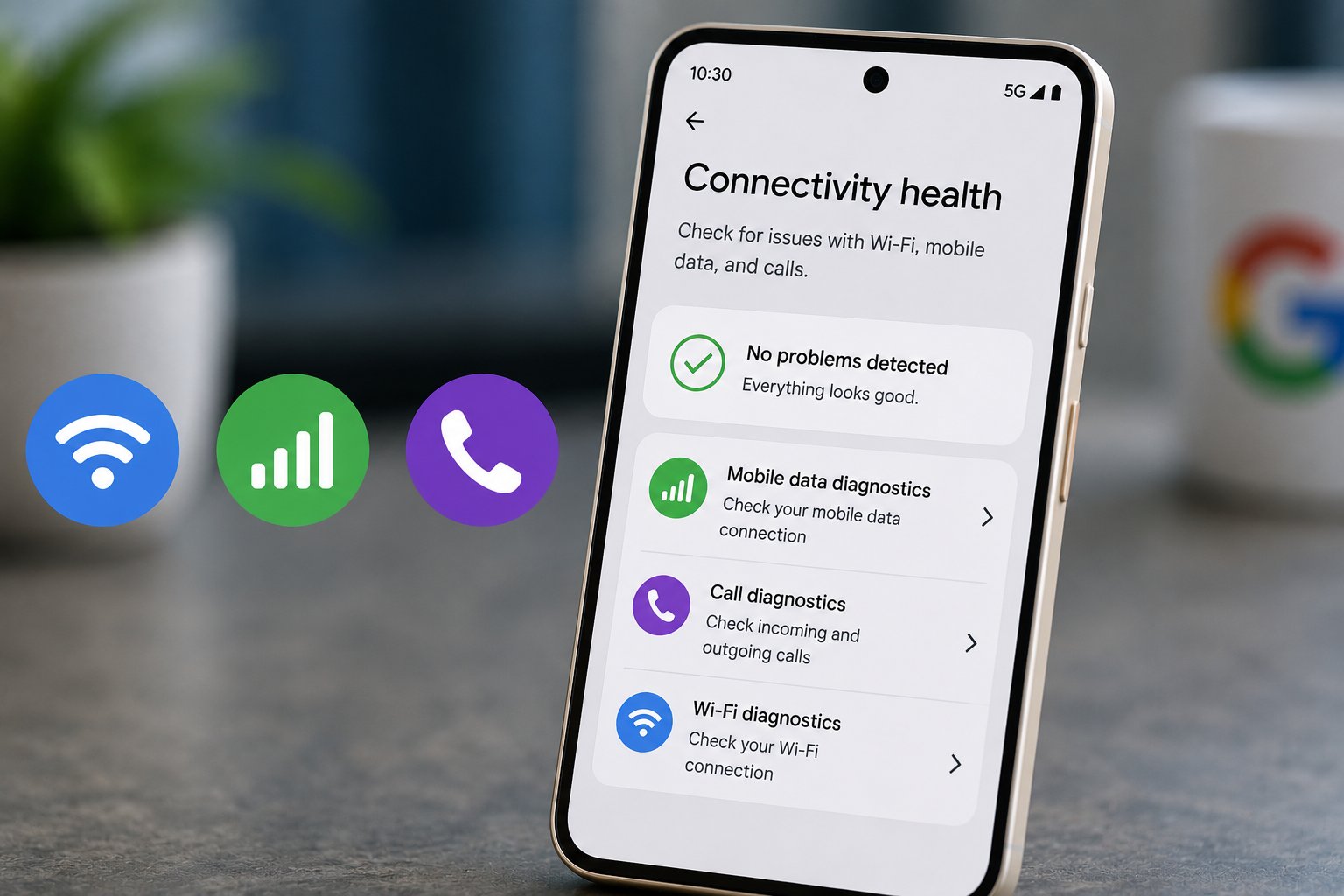
Google is testing a new Connectivity health menu for Pixel phones that could diagnose Wi-Fi, mobile data, and call problems from one place.
The feature is still hidden in unreleased code, and Google has not announced when or whether it will become publicly available. In its current form, only one of its three diagnostic tools appears to work from start to finish.
How Pixel Connectivity health would work
Android Authority uncovered the feature in Pixel Troubleshooting app version 1.0.962958926 and manually enabled it during testing. Connectivity health would appear under Settings > Network & internet, where users could open separate tools for mobile data, calls, and Wi-Fi.
Only Mobile data diagnostics completed the troubleshooting process in the tested build. It checked the phone’s data connection and speed before recommending that Private DNS be set to “off” or “automatic.” After the setting was changed, the tool returned a “Normal” status.
That result reflects what the phone itself can detect. It does not confirm that a carrier network, tower, or upstream connection is working normally.
Call diagnostics and Wi-Fi diagnostics opened their initial screens but did not provide working troubleshooting steps. The teardown also indicates that Connectivity health could produce a report listing settings changed during a diagnostic session.
Google already provides a narrower mobile connection troubleshooting process for calls and mobile data. Connectivity health appears to extend that approach by putting several connection checks under one menu.
Several details remain unconfirmed
Google has not disclosed a release date, supported Pixel models, or an Android version requirement. That distinction is important because unreleased APK code can change or disappear before a public release.
The Private DNS recommendation also raises an unanswered question for managed phones. The teardown does not establish whether Connectivity health recognizes administrator-controlled network settings before recommending changes, so there is not enough evidence yet to treat it as an enterprise troubleshooting tool.
Google has not explained where the feature’s diagnostic reports would be stored, what additional data they might contain, or whether device administrators could access them. The available reporting only indicates that the tool can summarize settings changed during troubleshooting.
Pixel owners already have Google’s existing troubleshooting options, while the company continues to address software problems affecting Pixel phones and refine Android 17 on supported Pixel devices.
Connectivity health could eventually give users a quicker way to determine whether a connection problem starts on the phone before contacting a carrier or IT support. For now, the working mobile-data diagnostic offers the clearest indication of what Google is building, while the Wi-Fi and call tools remain unfinished.
Google is also continuing QPR2 testing for Pixel devices, so Connectivity health may change further before Google decides whether to release it.
Also read: Google’s July Pixel update addressed boot loops, app crashes, display issues, and other Android 17 problems on supported devices.
>
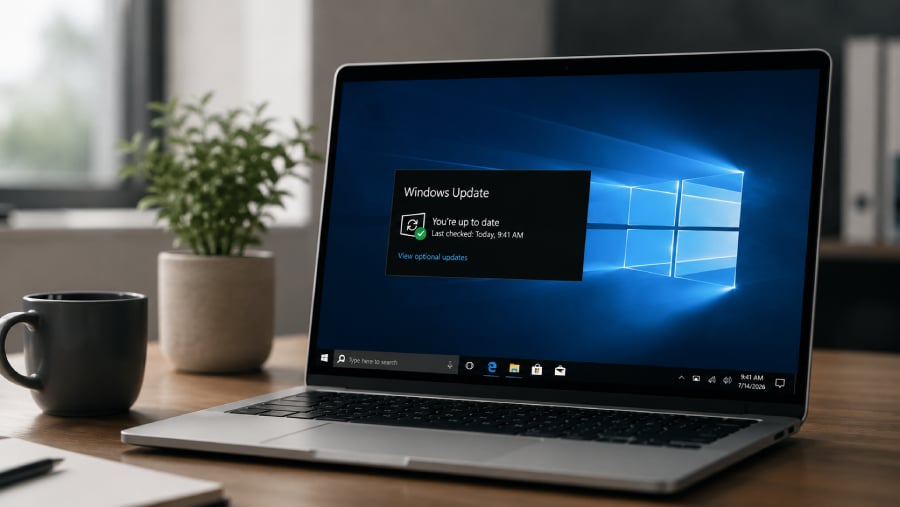
Windows 10 has been out of regular support since October 2025, but Microsoft has given consumers considerably more time before its security-update lifeline disappears.
Microsoft extended its Windows 10 Extended Security Updates, or ESU, program for personal-use devices through Oct. 12, 2027, giving people with unsupported PCs another year of security coverage. Existing participants automatically roll into the additional year. Meanwhile, Microsoft is still actively patching enrolled Windows 10 systems, including through its July 14, 2026 cumulative security update.
For users keeping an older PC alive, the extension changes the calculation. Here is what Windows 10 ESU costs, who qualifies, what coverage includes, and how the consumer program differs from Microsoft’s longer commercial offering.
How Windows 10 ESU works
Microsoft’s July 14 update, KB5099539, shows the program in action. The cumulative security update applies to Windows 10 ESU systems and includes security fixes and quality improvements. Microsoft also noted that Windows 10 version 22H2 reached end of support on October 14, 2025, and directs users who want to continue receiving critical security updates to ESU.
ESU primarily extends the security-update window. Microsoft says the program does not include new features, customer-requested nonsecurity updates, or design changes.
Consumer ESU now runs through 2027
The biggest 2026 change is the deadline.
Microsoft’s current support guidance says consumer ESU can protect Windows 10 devices through October 12, 2027. Tom’s Hardware reported on June 26, 2026, that previously enrolled users would receive the extra year automatically.
Enrollment options remained unchanged after the extension, according to Tom’s Hardware. Consumers can sync their PC settings to a Microsoft account through Windows Backup at no additional cost, redeem 1,000 Microsoft Rewards points, or make a one-time $30 payment. One ESU license can cover up to 10 devices tied to the same account.
| Sync settings through Windows Backup | No additional cost |
| Microsoft Rewards | 1,000 points |
| One-time payment | $30 |
Users in the European Economic Area have different conditions and can enroll at no additional cost by signing in with a Microsoft account. Enrollment rules can therefore vary by market.
Consumer ESU eligibility and enrollment
The consumer program is intended for personal Windows 10 devices. Microsoft’s July 2026 ESU release identifies Windows 10 version 22H2 as the applicable consumer servicing release.
Before enrolling, consumers should check three basics:
- Confirm the PC is running Windows 10 version 22H2.
- Install the latest available Windows updates.
- Check Windows Update for the ESU enrollment option.
Microsoft’s consumer requirements distinguish personal devices from commercially managed PCs. Tom’s Hardware reported in June 2026 that machines joined to Active Directory or Microsoft Entra, or managed through mobile device management, are not eligible for the consumer program. Entra-registered personal devices can still qualify.
Commercially managed PCs follow Microsoft’s separate business licensing and deployment process.
More Microsoft news
Business ESU pricing rises each year
Organizations get a longer Windows 10 runway, but the extra time becomes more expensive each year.
Microsoft lists commercial ESU at $61 per device for Year 1, with the price doubling each consecutive year for up to 3 years. Microsoft’s lifecycle schedule runs commercial Windows 10 ESU through Oct, 13, 2026 for Year 1, Oct. 12, 2027 for Year 2, and Oct. 10, 2028 for Year 3.
| Year 1 | $61 |
| Year 2 | $122 |
| Year 3 | $244 |
Microsoft does not allow commercial customers to purchase only part of an ESU year. Coverage is also cumulative, meaning an organization that first purchases ESU during Year 2 must pay for Year 1 as well.
The pricing makes ESU useful for buying migration time but increasingly costly as a long-term strategy for keeping Windows 10 fleets in place.
What ESU covers and what it leaves out
Security remains the central purpose of ESU.
Microsoft’s July 2026 update describes KB5099539 as a cumulative security update containing security fixes and quality improvements. The release also addresses Windows Secure Boot certificates that began expiring in June 2026 and says Microsoft will continue distributing newer certificates through Windows Update.
ESU does not restart normal Windows 10 development. Microsoft’s program guidance excludes new features, customer-requested nonsecurity updates, and design changes.
General technical support also does not return, although Microsoft provides limited support for ESU activation, installation, and possible ESU-related regressions.
For users, the distinction matters. ESU can reduce the security risk of remaining on Windows 10, but it does not turn the operating system back into an actively developed platform.
ESU buys time for the next move
For consumers with a functional PC that cannot move to Windows 11, Microsoft’s 2026 extension provides substantially more breathing room. Current Microsoft guidance says consumer ESU can protect an eligible Windows 10 device through October 2027.
Businesses face a different calculation. Commercial ESU can keep legacy systems patched through 2028, but rising annual costs give IT teams a financial reason to treat the program as breathing room for migration rather than a substitute for modernization.
What happens after ESU
A Windows 10 PC will not suddenly stop working when its ESU coverage ends. Microsoft’s current support guidance says Windows 10 continues to function after the end of support, although systems without applicable ESU coverage no longer receive Microsoft’s security-update protection.
For consumers, Oct. 12, 2027 is now the date to watch. Businesses have additional runway through Microsoft’s three-year commercial program, but each year costs more.
Microsoft’s 2026 extension gives consumers more time than originally expected. ESU can postpone the Windows 10 migration decision, but its main value is creating a safer window to decide what comes next.
Editor’s note: This article originally appeared on our sister publication, eWeek.
>

Some Samsung Galaxy phones are approaching a software wall, and several former flagships are standing right at the edge.
Android 17 is already powering Samsung’s One UI 9, which entered beta on the Galaxy S26 series in May. But owners of devices such as the Galaxy S22 series, Galaxy S21 FE, Galaxy Z Fold4, and Galaxy Z Flip4 are expected to miss the upgrade because those phones have reached the end of Samsung’s major Android upgrade commitments for their generations.
Samsung has not published a definitive consumer-facing list of every Galaxy device excluded from Android 17. Eligibility, therefore, has to be pieced together from the company’s existing software support commitments and the Android versions devices were launched with.
That cutoff reveals just how dramatically Samsung changed its approach to phone longevity in only a few generations.
Which Galaxy phones are expected to miss Android 17?
Samsung officially launched the One UI 9 beta for the Galaxy S26 series in May, confirming that One UI 9 is built on Android 17.
Older devices face a different outlook. Samsung’s previous support policy promised four generations of Android OS and One UI upgrades for the Galaxy S22 series, Galaxy S21 FE, Galaxy Tab S8 family, and eligible Galaxy Z devices.
Based on those commitments and the Android versions the devices originally shipped with, these recent Galaxy models are expected to stop before Android 17:
Galaxy S series
- Galaxy S22
- Galaxy S22+
- Galaxy S22 Ultra
- Galaxy S21 FE
Galaxy Z series
- Galaxy Z Fold4
- Galaxy Z Flip4
Galaxy Tab series
- Galaxy Tab S8
- Galaxy Tab S8+
- Galaxy Tab S8 Ultra
Samsung’s current support pages show that all of these devices are receiving One UI 8, the Android 16-based release. That includes the S22 series, S21 FE, Fold4, Flip4, and Tab S8 family.
The important distinction is that Samsung has not published a master list explicitly declaring each of them ineligible for Android 17. Their expected cutoff is based on Samsung’s promised upgrade counts rather than a new exclusion announcement.
Several older Galaxy A-series devices face a similar situation. Samsung’s One UI 8 compatibility list includes phones such as the Galaxy A53 5G, placing them among older devices with limited remaining major-upgrade runway.
Owners should therefore treat Android 17 eligibility projections as informed by Samsung’s published support commitments rather than as a final rollout list until Samsung confirms individual models.
Why the Galaxy S22 cutoff stands out
The Galaxy S22 series does not feel particularly old.
Samsung launched the phones in 2022 as flagships with high-end cameras, premium displays, and hardware designed to compete with the best Android phones of the time. They also arrived with what was then an unusually strong software promise.
Samsung announced that the Galaxy S22 family would receive four generations of Android OS and One UI upgrades, along with up to five years of security updates.
The Galaxy S22 launched with Android 12. Its four-generation upgrade path therefore runs through Android 16, leaving Android 17 outside the original commitment. That does not mean a Galaxy S22 suddenly becomes unusable once major Android upgrades end. Security maintenance can continue after major OS support ends, and the phone can keep running existing apps and services.
What owners lose is access to the next generation of operating-system features and platform changes.
Google is already releasing Android 17 updates for supported Pixel devices. TechRepublic recently covered the August Android 17 update and its stability fixes, showing that Android 17 has moved beyond its initial release and into its ongoing maintenance cycle.
The Fold4 and Flip4 appear to face the same cutoff
The Galaxy Z Fold4 and Z Flip4 require a little more explanation.
Samsung launched both devices in 2022. The Flip4 shipped with Android 12, while the Fold4 used Android 12L, Google’s large-screen version of the operating system. Samsung had already announced that upcoming Galaxy Z devices would receive four generations of One UI and Android OS upgrades.
Under that original consumer support commitment, the Fold4 and Flip4 are therefore expected to reach the end of their promised major-upgrade path with Android 16 rather than Android 17. Both phones appear on Samsung’s official One UI 8 compatibility list, confirming they have made the jump to Android 16.
What Samsung has not done is publish a consumer Android 17 exclusion notice specifically naming the Fold4 and Flip4. That is why their status is best described as expected to miss Android 17, rather than definitively excluded until Samsung publishes its broader One UI 9 rollout plans.
Samsung changed the rules with the Galaxy S24
The most interesting part of the Android 17 cutoff is not simply which phones miss the update. It is how much Samsung’s own support policy changed between generations.
Beginning with the Galaxy S24 series, Samsung committed to seven generations of operating-system upgrades and seven years of security updates. That creates a sharp dividing line inside Samsung’s lineup.
A Galaxy S22 owner who bought a flagship in 2022 has reached the end of its promised major Android upgrade path. A Galaxy S24 owner who bought a flagship only two years later has years of promised operating-system support remaining.
The phones are separated by just two generations, but their expected software lifespans look very different.
Samsung is not the only Android manufacturer facing scrutiny over that gap. TechRepublic recently examined Motorola’s Android 17 eligibility list, in which more than 50 phones appeared eligible, but several conspicuous omissions highlighted the importance of long-term support policies.
For buyers, processor speed, battery size, and camera quality are no longer the only measures of how long a phone may remain useful. The software-support clock matters too.
Mobility must-reads
Which Samsung phones are expected to get One UI 9?
The outlook is considerably better for newer Galaxy flagships.
The Galaxy S23 series is expected to receive Android 17 and One UI 9. Because the S23 launched with Android 13 under Samsung’s four-generation upgrade policy, Android 17 would represent its fourth major Android generation and therefore the end of its original promised upgrade path.
Samsung has already continued to support the S23 generation with One UI 8.5. In April, the company expanded its One UI 8.5 beta to the Galaxy S23 series, as well as the Galaxy Z Fold5 and Z Flip5.
The Galaxy S24 and newer flagship generations have considerably more runway because they fall under Samsung’s longer support commitments.
Samsung has also started the Android 17 transition at the top of its lineup. The company launched the One UI 9 beta on the Galaxy S26 series in May, calling Android 17 the foundation of the new interface.
Rollout timing and final eligibility can still vary by model, country, and carrier, so owners should check Samsung’s update notices for their specific device before making an upgrade decision.
Does missing Android 17 mean you need a new phone?
Not necessarily.
A phone that stops receiving major Android versions can remain useful as long as it continues receiving security patches, supports the apps its owner relies on, and performs well enough for everyday use.
For businesses, however, the calculation can become more complicated.
IT teams managing fleets of Android devices need to consider how long security patches will continue, whether enterprise applications remain compatible with older Android versions, and how much software fragmentation they are willing to support across managed hardware.
A fleet containing devices under several generations of Samsung support policies can become harder to standardize over time.
Individual buyers should also look beyond whether a replacement phone can run Android 17 today. The more useful question is how many major upgrades remain after Android 17. That is where newer Samsung devices have a clear advantage.
The Galaxy S22 launched with a four-generation upgrade promise that looked exceptional in 2022. Two years later, Samsung stretched flagship support to seven generations. Android 17 makes that change visible.
The Galaxy phones expected to miss One UI 9 are not simply aging hardware. They show how quickly software support has become one of the most important specifications to consider when buying a smartphone.
Related reading: For Galaxy owners focused on keeping their devices protected, Samsung’s August 2026 security update patches 56 vulnerabilities across eligible phones and tablets, including critical Android flaws and Galaxy-specific security gaps.
>

WordPress Launches Free Student Plan

Why Disney+ Is Leaning Harder on Millennial Nostalgia Than Ever

Curtis Lum Joins ABC’s ‘The Rookie: North’ & Prime Video’s ‘Cross’
-

 movies3 months ago
Search For Canadian TV Actor Stewart McLean Now Homicide Investigation
-

 Fashion9 years ago
These ’90s fashion trends are making a comeback in 2017
-
Fashion9 years ago
According to Dior Couture, this taboo fashion accessory is back
-
Fashion9 years ago
Model Jocelyn Chew’s Instagram is the best vacation you’ve ever had
-
Fashion9 years ago
Emily Ratajkowski channels back-to-school style
-
Fashion9 years ago
9 Celebrities who have spoken out about being photoshopped
-
Fashion9 years ago
Your comprehensive guide to this fall’s biggest trends
-
Fashion9 years ago
A photo diary of the nightlife scene from LA To Ibiza