
Tech
Samsung Galaxy Watch Body Composition: How Much Can You Trust the Numbers?

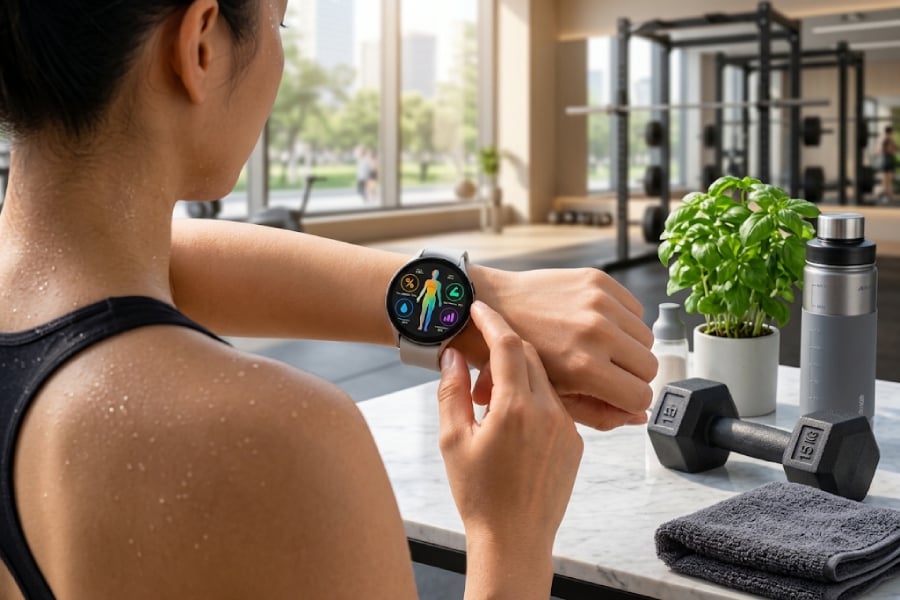
Your Samsung Galaxy Watch can estimate how much of your body is fat, muscle, and water in seconds. But not every number on the screen deserves the same amount of trust.
A 2025 peer-reviewed study comparing the Galaxy Watch5 with dual-energy X-ray absorptiometry (DXA) found strong group-level agreement in body fat percentage, but individual readings could still vary considerably. Its estimates of skeletal-muscle percentage showed substantially weaker agreement with DXA.
That distinction matters as Samsung puts more health information on users’ wrists. Body-composition measurements may provide useful general information, but research suggests Galaxy Watch owners shouldn’t treat them as equivalent to a clinical body-composition test.
How the Galaxy Watch measures your body composition
Galaxy Watch models with Samsung’s Bioelectrical Impedance Analysis, or BIA, sensor estimate body composition by sending tiny electrical currents through the body.
According to Samsung’s explanation of the body-composition feature, the watch uses BIA to estimate body composition metrics such as skeletal muscle, fat mass, body fat percentage, body water, BMI, and basal metabolic rate.
The technology itself isn’t unusual. BIA is also used in smart scales and dedicated body-composition analyzers. The unusual part is squeezing it onto your wrist. Instead of standing barefoot on a scale or using a clinical machine, Galaxy Watch users place two fingers on the watch’s buttons while keeping their arms away from their torso. The watch then calculates the user’s body-composition estimates.
Samsung introduced wrist-based body composition with the Galaxy Watch4 generation, and body composition remains part of the company’s broader wearable-health strategy.
TechRepublic has also covered Samsung’s expanding wearable-health strategy, which increasingly combines sleep, activity, cardiovascular signals, and body-composition data into broader wellness insights.
But convenience doesn’t necessarily mean clinical accuracy.
Galaxy Watch was much better at estimating body fat than muscle
Researchers put the watch to the test in a 2025 study published in Frontiers in Sports and Active Living.
The study included 108 physically active adults and compared measurements from a Samsung Galaxy Watch5 and an InBody 770 clinical BIA analyzer with DXA. That population is worth keeping in mind. The results shouldn’t automatically be assumed to apply equally to every Galaxy Watch owner.
For body-fat percentage, the Galaxy Watch showed strong overall agreement with DXA.
Researchers reported a concordance correlation coefficient, or CCC, of 0.91 between the Galaxy Watch and DXA for body-fat percentage. The watch’s mean absolute error was 2.87 percentage points, while the average difference was about -0.88 percentage points.
But those averages don’t tell the whole story.
The limits of agreement ranged from approximately -7.85 to 6.1 percentage points, indicating that individual Galaxy Watch readings could differ considerably from DXA measurements. The researchers also reported a mean absolute percentage error of about 14.36%, and the Galaxy Watch did not meet the study’s overall equivalence criteria for body-fat percentage.
The study also identified proportional bias, with errors increasing as body fat percentage increased.
So a CCC of 0.91 doesn’t mean a Galaxy Watch body-fat reading is 91% accurate. It means the two methods showed strong concordance across the study population, while individual measurements could still differ meaningfully.
The muscle results deserve even more caution. For skeletal muscle percentage, the Galaxy Watch yielded a CCC of only 0.45 compared with DXA. Its mean absolute error was 6.47 percentage points, and it underestimated skeletal-muscle percentage by an average of about 6.46 percentage points.
Interestingly, the dedicated InBody 770 BIA machine also struggled with skeletal muscle percentage in this study, showing even weaker concordance with DXA.
Why your Galaxy Watch reading can change
Even a wearable that produces useful body-composition estimates can return different results depending on how and when a measurement is taken.
Samsung recommends taking measurements under consistent conditions and at a similar time of day. The company also advises users to measure before activities that raise body temperature, such as exercise or sauna use, and to avoid metal accessories that could interfere with the measurement.
Posture matters, too.
Samsung instructs users to raise their arms away from their torso, remain still, and place their middle and index fingers on the watch buttons without pressing them. Those instructions matter because BIA isn’t directly measuring inside your body to count fat or muscle. It estimates body composition based on electrical impedance, meaning measurement conditions can influence the result.
Using the same measurement conditions can help reduce some of those variables, though that doesn’t mean the watch has been proven to reliably detect body composition changes over time.
What’s hot at TechRepublic
So, should you trust your Galaxy Watch’s body fat reading?
The Galaxy Watch may provide useful general information about body composition, particularly body-fat percentage. But the 2025 study found enough individual variation that a single reading shouldn’t be treated as equivalent to a DXA measurement.
There’s another important limitation: the study wasn’t designed to determine how reliably the Galaxy Watch5 can detect changes in the same person over weeks or months.
Participants underwent the body-composition assessments during a single visit. The researchers specifically said future studies should investigate whether these devices can accurately detect longitudinal changes in body composition.
That means users should be careful not to assume that a series of changing Galaxy Watch readings necessarily reflects the same degree of change in their actual body composition.
Muscle estimates warrant even greater caution based on the 2025 results. That distinction fits a broader rule for wearable health technology: useful health information doesn’t automatically equal a medical measurement.
TechRepublic found a similar boundary when examining Samsung Galaxy Watch diabetes management. Galaxy Watch can integrate glucose data from compatible sources with medication, activity, sleep, and other health data, but it doesn’t replace an authorized glucose-monitoring device or medical care.
Samsung draws a similar line around body composition. The company says its body-composition measurement is intended for general personal information and isn’t designed to detect, diagnose, or treat a medical condition or disease.
Samsung also says people who are pregnant or have an implanted pacemaker or other implanted medical device shouldn’t use the body-composition measurement. The company warns that results may not be accurate for people under 20.
The best way to use Galaxy Watch body composition
The most useful approach may be to stop treating the Galaxy Watch like a miniature medical scanner.
Instead, think of its body-composition feature as another source of wellness information, with important limitations.
Take measurements under similar conditions to reduce variables that could affect BIA readings. Avoid putting too much weight on small changes or individual decimal points. And be especially cautious about interpreting estimated skeletal muscle, given the weaker agreement seen in the 2025 study.
Whether the Galaxy Watch can reliably identify real body composition changes in the same person over time remains an open research question. That approach also fits the broader direction Samsung is taking with wearable health.
Samsung is pushing Galaxy Watch data into increasingly sophisticated health and research applications, while maintaining a boundary between wellness information and medical diagnosis. TechRepublic recently covered how Samsung is expanding Galaxy Watch data into clinical research, where researchers are exploring whether wearable biometric data could eventually support validated research endpoints and biomarkers.
That’s an important distinction for Galaxy Watch owners.
Galaxy Watch makes body-composition data easy to access, but that convenience comes with limits. Research suggests its body-fat estimates can align well with DXA across a group, while individual readings can vary and skeletal-muscle estimates are less reliable. Researchers also haven’t established how accurately the watch tracks body-composition changes over time.
For users, the takeaway is simple: use the numbers as a guide, not a medical verdict.
Also read: For more ways to get useful health data from your smartwatch, see which Galaxy Watch9 settings you should enable in your first 24 hours.
>

Some ChatGPT conversations are being reviewed by human contractors as part of OpenAI’s model-improvement work, according to leaked internal materials reported by 404 Media.
Under an internal project reportedly called “Project Lily,” reviewers grade model responses, summarize user intent, and flag behaviors such as robotic phrasing or excessive agreement. The materials also indicate that OpenAI uses automated privacy filtering before conversations reach reviewers.
Consumer AI chats should not be treated as private correspondence, especially when conversations may be used for model improvement.
Inside Project Lily
According to 404 Media, contractors earn over $50 an hour through intermediary firms like Crossing Hurdles and Mercor to review selected conversation streams and score generated replies from 1 to 7.
Documents show reviewers are trained to flag “AI-speak,” weed out sycophancy, and eliminate unnecessary emojis, such as lists packed with green checkmarks.
OpenAI scrubs usernames and routes text through an automated tool called Privacy Filter to remove identifying details before conversations reach reviewers, although the system may not catch every rare identifier or ambiguous reference.
OpenAI acknowledges the filter can fail on rare identifiers or ambiguous phrasing, and contractors can still view a “user memories summary” displaying an individual’s past interests and approximate location.
Asked whether users realize human reviewers may see their conversations, one contractor told 404 Media, “No, I don’t think they would imagine some contractor somewhere […] is analyzing the conversations.”
The regulatory fault line
The disclosure could intensify privacy and regulatory scrutiny around how consumer AI conversations are processed and disclosed.
As The Next Web noted, the Court of Justice of the European Union held last September in EDPS v SRB that a data controller’s duty to inform users applies at the exact moment of collection, regardless of whether a downstream recipient can directly identify someone.
OpenAI—already fined 15 million euros by Italian data regulators for processing without a proper legal foundation—faces compounding scrutiny because consumer tiers leave data sharing active by default. The “improve the model for everyone” toggle is enabled automatically on Free, Plus, and Pro tiers, while corporate Enterprise, Business, and Edu accounts are opted out by default.
Why conversational AI creates a privacy blind spot
The privacy tension comes from how conversational AI is designed. Chatbots can feel more personal than traditional software, encouraging users to share context they might not enter into a search box or form, while some conversations may still be used in model-improvement workflows.
When an interface simulates human empathy, consumers naturally lower their guard, treating the dialogue box like a personal diary or confidential advisor.
This creates a sharp structural divide. OpenAI applies different data-handling defaults across its products. Enterprise, Business, and Edu accounts are not used for model training by default, while consumer users may need to disable model-improvement settings themselves.
That distinction matters for companies deciding whether employees should use consumer AI accounts for work involving confidential or regulated information.
Turning off model-improvement sharing affects future conversations, but users should not assume the change retroactively removes data that has already entered existing processing or review workflows.
Industry norms and consumer impact
OpenAI is not alone. Rivals Anthropic and Google Gemini also employ human reviewers for chat optimization under specific account settings. However, critics argue the lack of explicit, direct prompts warning users before they hit send creates an avoidable trap.
For regular users, the practical rule is simple: do not enter passwords, financial details, health information, confidential company data, or other sensitive material into a consumer AI service unless you understand how that data will be handled.
ChatGPT users should also review their model-training settings. For workplace use, businesses should rely on approved AI products and organizational policies designed for sensitive information rather than assuming a consumer chatbot is private by default.
In other AI news, Anthropic CEO Dario Amodei called for slower frontier AI development, with Sam Altman and Elon Musk backing the broader push as safety and cybersecurity concerns grow.
>
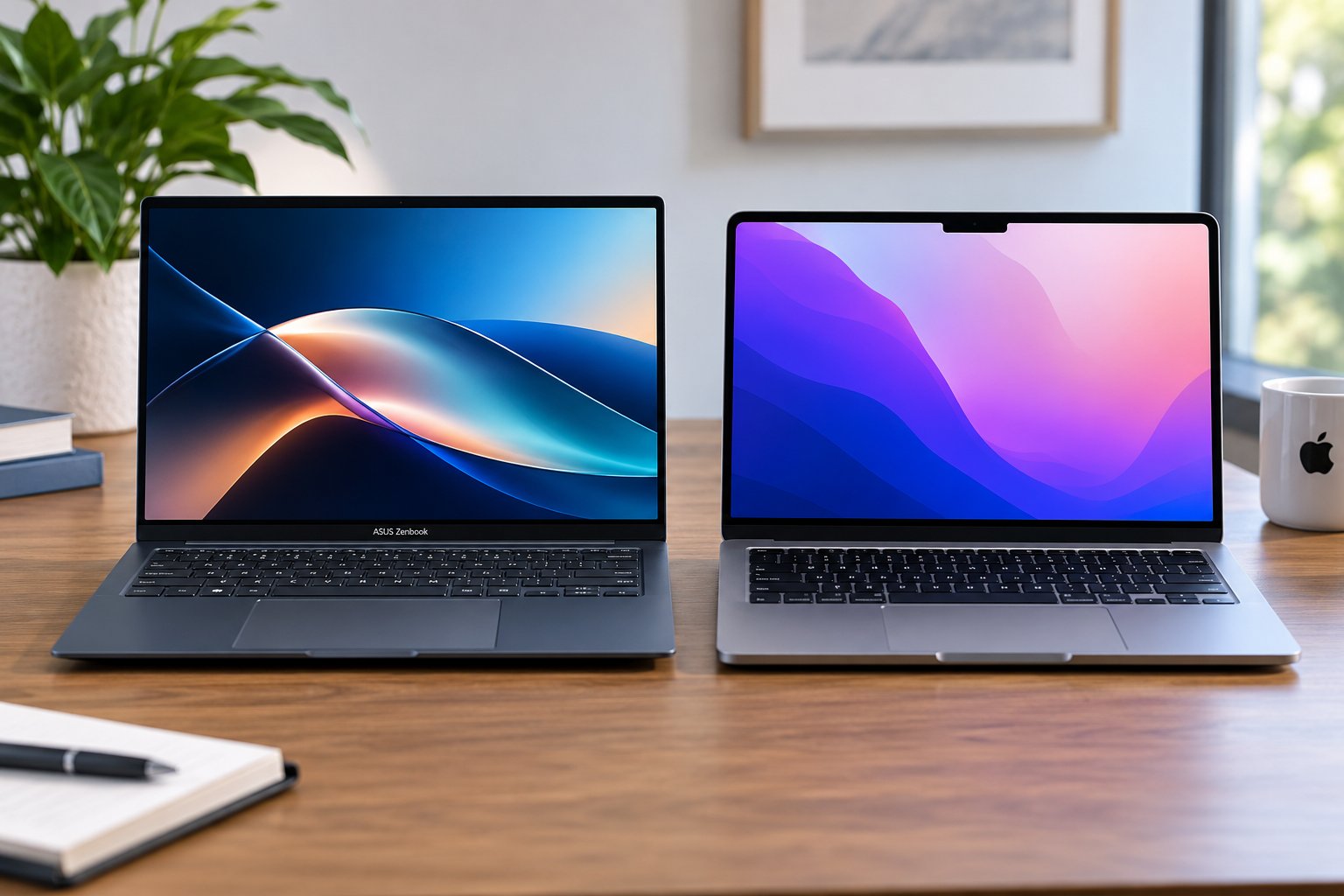
Apple’s MacBook Neo shook up the budget laptop market by putting a metal MacBook within reach of buyers who previously had to look at Windows PCs.
Now ASUS is answering with a $799 Zenbook 14 that adds an OLED display, more ports, and the option for twice as much RAM.
The MacBook Neo still starts $100 lower at $699, and its A18 Pro chip has some clear performance advantages. But the Zenbook gives Windows buyers considerably more hardware flexibility. The real choice comes down to how much you value ports, memory, display technology, operating system, and the Apple ecosystem.
| ASUS Zenbook 14 | MacBook Neo | |
|---|---|---|
| US starting price | $799 | $699 |
| Processor | Snapdragon X X1 26 100 | A18 Pro |
| RAM | 8GB or 16GB | 8GB |
| Storage | Up to 512GB | 256GB or 512GB |
| Display | 14-inch 1920 x 1200 OLED, 60Hz | 13-inch 2408 x 1506 Liquid Retina, 500 nits |
| Ports | 2 USB-C, USB-A, HDMI 2.1, headphone jack | 1 USB-C 10Gbps, 1 USB-C USB 2, headphone jack |
| Biometrics | Windows Hello face unlock | Touch ID on 512GB model |
| Operating system | Windows 11 Home | macOS |
| AI platform | Copilot+ PC | Apple Intelligence |
| Tested battery life | 13 hours, 38 minutes | 13 hours, 26 minutes |
Battery results come from Tom’s Guide testing under the same methodology. Configurations can affect performance, weight, and battery life.
How we compared the ASUS Zenbook 14 vs MacBook Neo
We compared current US pricing, manufacturer specifications, available configurations, display technology, ports, portability, AI features, and operating-system differences.
For performance and battery life, we used Tom’s Guide testing because it includes both laptops under the same benchmark methodology. One important caveat: its Zenbook 14 review unit had 16GB of RAM, while MacBook Neo has 8GB, so memory-sensitive results are not an equal-configuration test.
Recommendations focus on the tradeoffs buyers will actually notice, including everyday performance, multitasking, screen quality, connectivity, portability, and how much hardware each laptop provides for the money.
Price and configurations
MacBook Neo has the lower entry price. Apple currently sells it from $699 with 8GB of unified memory and a 256GB SSD. The 512GB configuration costs more and adds Touch ID.
That’s $100 above the $599 launch price Apple announced in March. The increase came during broader Mac and iPad price hikes earlier this year.
ASUS starts the new Zenbook 14 at $799. That base configuration pairs Snapdragon X with 8GB of RAM, while ASUS also offers up to 16GB of memory and 512GB of storage.
That extra memory flexibility is important. MacBook Neo is capped at 8GB regardless of storage, so buyers who know they regularly juggle demanding apps or large numbers of browser tabs have no RAM upgrade path.
The catch is price. Higher-memory Zenbook configurations move away from the sub-$800 value proposition, so the base-model comparison is much closer than the specification sheet initially suggests.
Performance and RAM tradeoffs
The two processors trade wins rather than producing an obvious overall champion.
In Tom’s Guide testing, MacBook Neo’s A18 Pro scored 3,535 in Geekbench single-core performance compared with 2,181 for the Snapdragon X Zenbook. ASUS reversed the result in multicore performance, scoring 10,676 against the Neo’s 8,920.
Their HandBrake results were nearly identical. Zenbook 14 converted a 4K video to 1080p in 9 minutes, 48 seconds, while MacBook Neo finished in 9 minutes, 57 seconds.
Those results favor MacBook Neo for single-threaded speed and Zenbook 14 for multicore workloads, but the Zenbook used for those benchmarks had 16GB of RAM.
Memory becomes the bigger concern at the $799 Zenbook’s 8GB baseline. Tom’s Guide manually limited its 16GB review unit to 8GB and reported stuttering once its browser workload grew, followed by a freeze when a local AI app was added.
That does not mean the 8GB Zenbook is unusable. Windows Central found the base model comfortable for lighter productivity involving browsing, music, email, Teams, and Slack. But buyers who multitask heavily should take the limitation seriously, especially as 8GB Windows PCs return to the lower end of the market.
MacBook Neo also has only 8GB, but macOS and Windows manage memory differently. For heavier workloads, the Zenbook has one major advantage: you can buy it with 16GB. Apple gives MacBook Neo buyers no equivalent option.
OLED or sharper Liquid Retina?
The display choice is less straightforward than OLED automatically beating LCD.
According to ASUS specifications, Zenbook 14 uses a 14-inch, 1920 x 1200 OLED panel with 100% DCI-P3 coverage. OLED gives it deep blacks, strong contrast, and vivid color, which is unusual at this price.
MacBook Neo uses a smaller 13-inch Liquid Retina IPS display, but its 2408 x 1506 resolution is considerably sharper, and Apple rates it at 500 nits.
So there is no automatic display winner. Zenbook is the more appealing option if OLED contrast and a slightly larger workspace matter most. MacBook Neo makes more sense if you prioritize resolution and brightness.
The physical designs are similarly close. MacBook Neo weighs 2.7 pounds. The Snapdragon Zenbook tested by Windows Central weighed 2.87 pounds, although ASUS says some Zenbook 14 configurations start around 1.1kg.
Either is easy to carry every day.
Connectivity and ports
ASUS has a much easier win when it comes to connectivity.
Zenbook 14 includes two 10Gbps USB-C ports with display and charging support, one USB-A port, HDMI 2.1, and a headphone jack.
MacBook Neo has two USB-C ports and a headphone jack, but the USB-C ports are not equal. One supports USB 3 speeds up to 10Gbps, while the other is limited to USB 2 speeds. Apple also limits MacBook Neo to one external display at up to 4K and 60Hz.
That makes the Zenbook easier to use with existing monitors, storage drives, mice, and other accessories without reaching for a hub.
The Zenbook also includes an IR camera for Windows Hello face unlock. Entry-level MacBook Neo skips Touch ID, which comes with the higher-capacity 512GB configuration.
One hardware advantage Apple retains is silence. MacBook Neo is fanless. Windows Central’s Zenbook review found its fan could become audible under heavier loads, though it wasn’t a significant issue during ordinary use.
Battery life is almost a draw
Manufacturer battery claims make the laptops look farther apart than independent testing does.
ASUS advertises more than 21 hours of video playback for some Zenbook 14 configurations, while Apple rates MacBook Neo for up to 16 hours of video streaming. Those figures use different testing methods and should not be compared directly.
Tom’s Guide put the two much closer together. Zenbook 14 lasted 13 hours, 38 minutes in its battery test, while MacBook Neo reached 13 hours, 26 minutes.
A 12-minute gap is not enough to choose one laptop over the other. Both should comfortably cover a normal day for many users, with workload, brightness, and background apps likely to make a larger difference than the test gap.
Windows and Copilot+ vs macOS and Apple Intelligence
Operating system may settle this comparison faster than any benchmark.
Zenbook 14 is a Copilot+ PC. Its Snapdragon X processor includes a Qualcomm Hexagon NPU rated at up to 45 TOPS, giving it access to Windows AI features alongside the flexibility of the broader Windows ecosystem.
MacBook Neo pairs its A18 Pro chip with a 16-core Neural Engine and Apple Intelligence. Its bigger advantage for existing Apple users is integration with iPhone, iCloud, Messages, AirDrop, and the rest of Apple’s ecosystem.
Snapdragon X also means the Zenbook is a Windows-on-Arm laptop. Mainstream software support has improved substantially, but buyers who depend on specialist Windows programs, older peripherals, or niche utilities should still confirm compatibility before choosing an Arm-based machine.
For buyers without a strong operating-system preference, hardware becomes the deciding factor. ASUS gives you OLED, more ports, and the option for 16GB of RAM. Apple gives you a lower starting price, a sharper display, silent operation, and a tightly integrated software experience.
Which should you buy: ASUS Zenbook 14 or MacBook Neo?
Choose ASUS Zenbook 14 if: You want an OLED display, need HDMI or USB-A without adapters, prefer Windows, want Windows Hello, or expect to need 16GB of RAM.
Choose MacBook Neo if: You want the lowest starting price, prefer macOS, already use an iPhone or other Apple devices, value silent fanless operation, or do not expect 8GB of RAM to become a bottleneck.
| Best choice | Why | |
|---|---|---|
| Starting price | MacBook Neo | It costs $699, $100 less than the base Zenbook. |
| Multitasking | ASUS Zenbook 14 with 16GB | ASUS offers twice the Neo’s fixed 8GB memory ceiling. |
| Display | Depends | Zenbook has OLED and a larger panel; Neo is sharper and rated brighter. |
| Ports | ASUS Zenbook 14 | USB-A and HDMI join two full-speed USB-C ports. |
| Battery | Draw | Tom’s Guide measured just 12 minutes between them. |
| Quiet operation | MacBook Neo | Its fanless design stays silent. |
| Windows flexibility | ASUS Zenbook 14 | It offers more hardware choices and Copilot+ features. |
| Apple ecosystem | MacBook Neo | It integrates directly with iPhone and Apple’s other devices. |
At its base price, the MacBook Neo is the easier recommendation for buyers with simple workloads who want a polished laptop for as little as possible. Its $699 price gives it room to absorb some compromises in ports and memory.
The Zenbook 14 is the more versatile option. The OLED display and wider port selection are meaningful upgrades, and the option for 16GB of RAM gives it more room to grow. The problem is that buyers who need that extra memory will have to spend beyond the $799 starting price.
In the end, MacBook Neo wins on straightforward value, while Zenbook 14 makes the stronger case for buyers who know exactly which extra hardware features they need.
Also read: Lenovo’s $700 IdeaPad Vibe is another Windows alternative aimed directly at MacBook Neo buyers.
>

South Korea wants to make sure autonomous software cannot pull the digital trigger without human sign-off.
The Korea Internet & Security Agency, which operates under South Korea’s Ministry of Science and ICT, told Reuters it is developing version 2.0 of its “AI Security Guide.” The update will address autonomous AI agents operating across software, networks, and physical systems.
For IT leaders, the proposal underscores a growing security concern: AI agents can receive credentials, use external tools, modify systems, and initiate actions with limited supervision. Organizations deploying them may therefore need tighter access controls, stronger audit trails, and human approval for consequential actions.
In a statement, KISA said the revised guide would focus on security issues that could arise as companies deploy agentic AI services and offer a checklist to manage those risks. The agency added that the manual could include common control measures applicable to “physical AI” systems capable of interacting with real-world devices and machinery.
According to Reuters, the proposed guide would divide security responsibilities across the AI deployment pipeline:
- Developers would restrict agents’ access to tools and maintain tamper-resistant decision logs.
- Service providers would implement real-time shutdown controls and incident-tracking mechanisms.
- Enterprise users would configure operating privileges and require human approval for high-risk actions.
The delegation dilemma
The risk extends beyond familiar concerns involving generative AI, such as proprietary-data exposure and inaccurate outputs. Agentic systems can also act within company environments, making permission controls and oversight more consequential.
Granular controls could reduce the risk of an AI agent taking an unauthorized or harmful action, but they may also introduce friction for enterprise adopters.
Companies deploy agents to automate work such as resolving support tickets, adjusting machinery, and executing financial transactions. Approval requirements and strict permission limits could slow that automation, but they would give organizations more control over high-consequence actions.
South Korea has not yet finalized the guide, so its exact requirements and enforcement status remain unclear. Enterprise security teams do not need to wait, however, to inventory deployed agents, restrict their permissions, preserve audit logs, and require human approval before software can make consequential financial, operational, or physical changes.
Read more: OpenAI’s GPT-6 Astra cybersecurity assessment explores how increasingly capable AI systems are changing the threat landscape for enterprise security teams.
>

Jodie Whittaker To Star In ITV Drama ‘In Contempt’

Thomas Tuchel: England boss on World Cup reflections, wishing he’d eaten Azteca grass and an ‘exciting’ future | Football News

Tiger Woods: Golfer seen on range for the first time since March’s car crash
-

 movies4 months ago
Search For Canadian TV Actor Stewart McLean Now Homicide Investigation
-

 Fashion9 years ago
These ’90s fashion trends are making a comeback in 2017
-
Fashion9 years ago
According to Dior Couture, this taboo fashion accessory is back
-
Fashion9 years ago
Model Jocelyn Chew’s Instagram is the best vacation you’ve ever had
-
Fashion9 years ago
Emily Ratajkowski channels back-to-school style
-
Fashion9 years ago
9 Celebrities who have spoken out about being photoshopped
-

 Anime3 months ago
Rurouni Kenshin: Hokkaido Arc Manga Takes 1-Issue Break – News
-

 Anime3 months ago
HIDIVE to Stream English Dubs for The World Is Dancing, The Forsaken Saintess and Her Foodie Roadtrip in Another World, The Dangers in My Heart: The Movie Anime – News