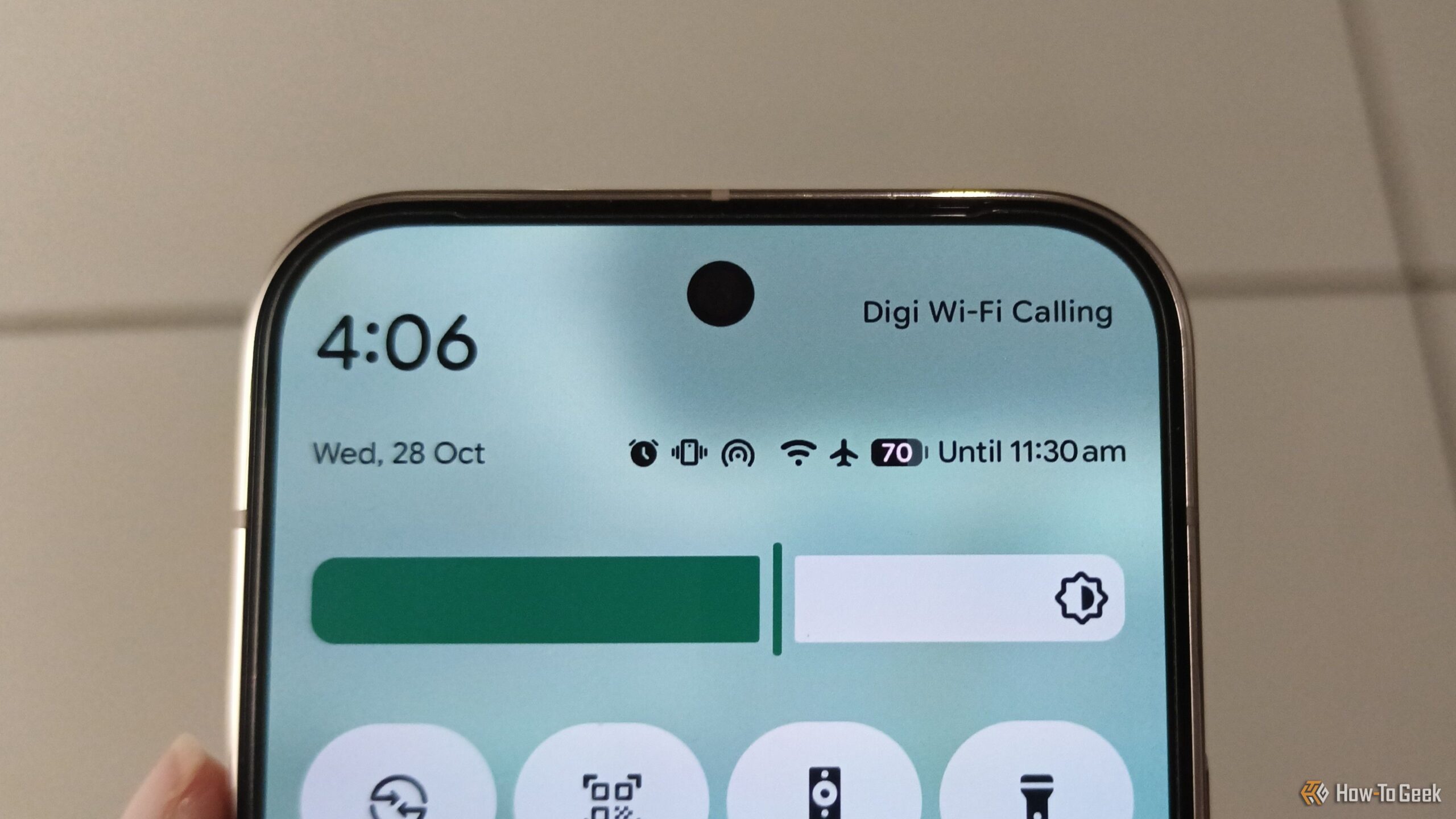
Ever glanced at your Android phone’s status bar and wondered what that weird little symbol means? Google’s setup walkthrough explains almost everything about your phone — except what all those tiny icons nestled at the top of your screen are actually telling you. Here’s a plain-English guide to the 12 Android status bar icons you should know.
Android status bar icons (Credits: How-To Geek)
Android Network and Connectivity Icons
The vertical bars are the most important icon — they show your cellular signal strength, filling or emptying depending on reception. An R above the bars means you’re roaming. The small letters on top tell you the connection type: 3G, 4G, LTE, 5G, H, or H+ — and if “H” throws you, it’s simply a slightly faster version of 3G. Arrows over the bars mean mobile data is active; on a Google Pixel, an exclamation mark over the bars instead means mobile data is off.
A Wi-Fi icon means you’re connected to a wireless network — and if a telephone symbol is built into it, Wi-Fi calling is enabled. An exclamation mark over the Wi-Fi icon warns the network has no internet access or isn’t working. The hotspot icon looks similar but with more curved, circular lines. The familiar B-shaped Bluetooth icon means Bluetooth is on, while an N-shaped NFC icon shows NFC is active — though on Pixel phones you’ll never see it, since NFC is on by default and Pixel hides the symbol.
Battery, Modes, and the Other Android Status Bar Icons
The battery icon shows your remaining charge, and some phones color it: red below 20%, yellow at 15% or lower, and green above 20%. A plus sign inside means battery saver is running. Icons like airplane mode, Do Not Disturb, and Silent/Vibrate are fairly self-explanatory, as are the location pin for GPS and the time display. Keep in mind that depending on your phone brand — Samsung’s One UI, Xiaomi’s HyperOS, and others — some icons may look slightly different, but the meaning stays the same across every Android phone.
Also Read: Smart Speakers Don’t Make Sense Anymore — An Old Phone or ESP32 Can Do a Better Job
Source: How-To Geek — read the full story there.