
Tech
5 Best VPN Extensions for Chrome for 2026


Chrome is one of the most popular web browsers in the world. As of early 2026, it has an estimated 3.45 billion users globally. Chrome includes a versatile library of browser extensions, which boost its functionality. A commonly used extension is a virtual private network (VPN), which helps protect user information by encrypting data and routing browsing activities through a secure connection.
Choosing the right VPN extension for Chrome can be challenging, as features and security vary. I’ve listed some of the best Chrome VPN extensions available in 2026 to help you decide based on their features and our hands-on experience.
Best Chrome VPN extensions in 2026: Comparison table
Below is a quick summary of the features commonly found in the top Chrome VPN extensions.
| Product | Ad blocker | Split tunneling | Number of connections | Number of servers | Pricing |
|---|---|---|---|---|---|
| NordVPN | Yes | Yes | 10 | 7,400+ in 118 countries | Starts at $2.99/month |
| ExpressVPN | Yes | Yes | 10-14 | 214+ locations in 113 countries | Starts at $2.49/month |
| CyberGhost VPN | Yes | No in the Chrome extension | 7 | 8 servers in 4 countries with the free extension; 9,900+ in 100 countries with the paid service | Free / Starts at $2.19/month |
| Private Internet Access | Yes | Yes | Unlimited | Server count undisclosed; servers in 90 countries | Starts at $1.33/month |
| Surfshark | Yes | Yes | Unlimited | 4,500+ in 100 countries | Starts at $2.49/month |
Best Chrome VPN extensions
Read on for our picks of the best Chrome VPNs, why I chose them, and how they can add to your Chrome browser experience.
NordVPN: Best overall

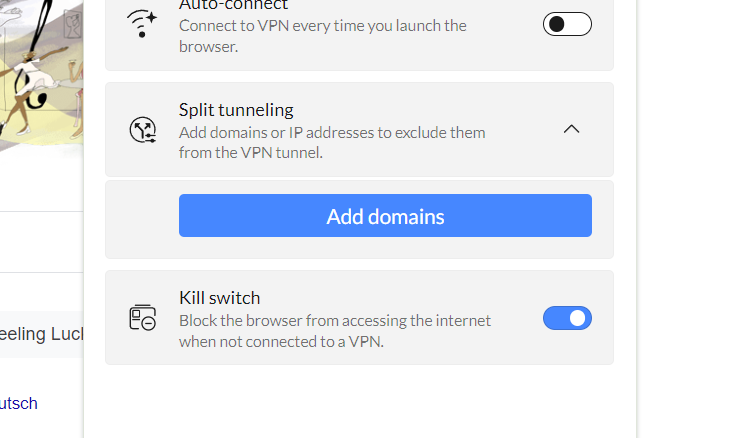
Since it’s one of the best VPN providers today, I recommend NordVPN. NordVPN offers a feature-rich Chrome extension that gives you access to a massive 7,400+ server network across 118 countries. It also includes essential security features such as split tunneling, a kill switch, and protection against WebRTC leaks. To me, a noteworthy feature in NordVPN is its Threat Protection feature, which protects against intrusive ads, trackers, unsafe connections, and malicious sites.
Why I chose NordVPN
I chose NordVPN’s Chrome extension, as it offers an all-around VPN service that affords both top-tier security and speed. I also think it offers a great balance of security features, ease-of-use, and reliability. The inclusion of a split-tunneling feature within the extension itself is a standout for me, as it makes personalizing the VPN experience very accessible.
This allows users to easily customize which websites they want to route via the VPN and which they want to pass through the internet service provider.
Pricing
NordVPN offers three plans: Basic, Plus, and Complete. The main difference between the three is the additional features you get on top of the VPN itself, such as the NordPass password manager and NordLocker cloud storage. Below is a summary of NordVPN’s Basic tier:
- Monthly: Starting at $12.99/month.
- One year: Starting at $4.59/month.
- Two years: Starting at $2.99/month
I recommend choosing NordVPN’s Basic Plan because it includes the full VPN and Threat Protection at $4.59 per month for a one-year subscription. Prices are introductory rates and may change with promotions.
Features
- 7,400+ server network in 118 countries.
- Threat Protection security feature.
- Built-in kill switch.
- No logs policy.
Pros and cons
| Pros | Cons |
|---|---|
| Consistently fast and stable speeds. | On the expensive side. |
| Unlimited bandwidth. | |
| Protects against intrusive ads and malware. | |
| Well-designed user interface. | |
| Easy split tunneling within the extension. |
In our review of NordVPN’s desktop app, the VPN received a score of 4.7 out of 5 stars. To learn more, read the full NordVPN review.
ExpressVPN: Best for speed

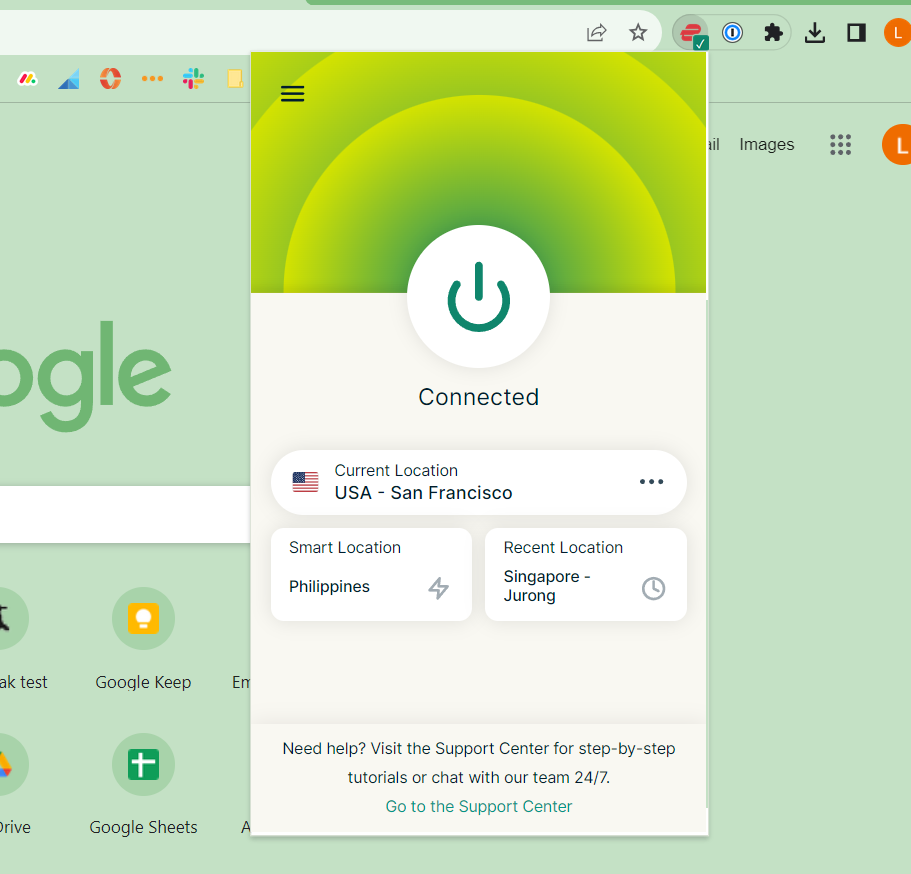
If you prioritize speed, I suggest ExpressVPN. Its Chrome extension mirrors its popular desktop counterpart almost one-to-one, as it acts as a remote control for the full desktop application. I personally appreciate how it offers the same lightweight and easy-to-use interface, strong security, and fast overall connection when using the extension. As of July 2026, ExpressVPN offers access to (reportedly) 214+ servers in more than 113 countries.
For those looking for a password manager, a paid ExpressVPN subscription also gets you its ExpressVPN Keys password management service at no additional cost. With that bundled in, I think ExpressVPN provides a solid argument as a viable VPN to at least look into.
Why I chose ExpressVPN
While ExpressVPN’s Chrome extension requires the desktop app to be installed, I like that it performs equally well as the companion app. This is impressive, given that most extensions are watered-down versions of the full app. During my time with it, ExpressVPN’s Chrome extension provided the same fast and pleasant user experience as the app itself.
In addition, ExpressVPN and its Chrome extension are, in my opinion, among the better-looking applications around. If nice UI design matters to you, I’m confident ExpressVPN’s extension will be a good fit.
Pricing
ExpressVPN offers three plans: Basic, Advanced, and Express Pro. Each is available with monthly and 12-month billing or a two-year introductory offer. A three-day free trial is available for new users through the Android and iOS apps.
- Basic: Starting at $2.49/month.
- Advanced: Starting at $2.99/month.
- Express Pro: Starting at $5.49/month.
The two-year offers renew annually after the initial subscription period.
Features
- RAM-only server technology.
- Available in 17 languages.
- No logs policy and 19 third-party audits to date.
- Network Lock kill switch.
Pros and cons
| Pros | Cons |
|---|---|
| Fast and reliable speeds. | Pricing is on the higher end. |
| Easy-to-use, pleasant-looking interface. | Extension requires ExpressVPN desktop app to be installed. |
| Ability to connect to specific city servers. | Lacks a more affordable two- or three-year subscription plan. |
| Servers across 94 countries. |
In our review, ExpressVPN received a 4.4 out of 5 stars. For more information, read the full ExpressVPN review.
CyberGhost VPN: Best for free users

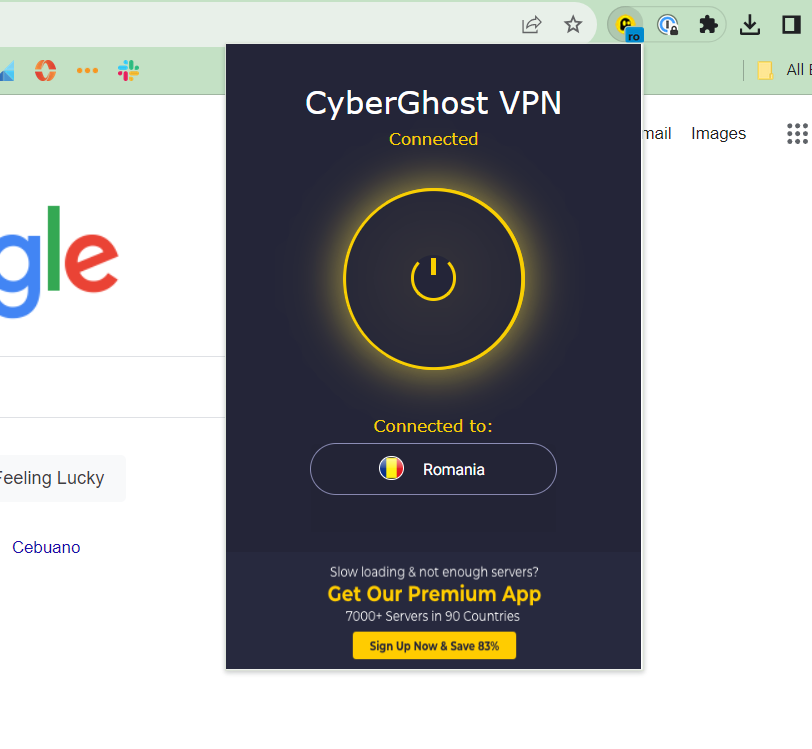
For those who don’t want to spend money on a full-fledged VPN, I feel like CyberGhost’s VPN Proxy extension is a good solution. It offers a hidden IP address, blocking against malicious content and online data encryption. It’s also completely free to use.
It’s important to note that, through CyberGhost’s VPN Chrome extension, you will only have access to eight servers in four countries.
If you feel that CyberGhost VPN’s Chrome extension is a good fit for your needs, I highly suggest purchasing the full desktop app. This is especially true if you value having an extensive server network: A paid CyberGhost VPN subscription currently grants you access to over 9,900 servers in 100 countries.
Why I chose CyberGhost VPN
I have CyberGhost VPN on this list for its completely free Chrome extension. While most VPN Chrome extensions require an active paid subscription to work, CyberGhost offers a cost-effective way to unblock restricted content and get some basic protection via its VPN Proxy. I also find it a convenient way to try out CyberGhost’s VPN implementation without having to pay for its full desktop VPN client.
Pricing
Aside from its free Chrome extension, CyberGhost offers three paid subscription options:
- Monthly: $12.99/month.
- Six months: $6.99/month.
- Two years plus two bonus months: $2.19/month, billed at $56.94 for the first 26 months.
The monthly subscription includes a 14-day money-back guarantee, while the six-month and two-year options include a 45-day money-back guarantee.
Features
- Data encryption and secure Wi-Fi connection.
- Hidden IP address.
- No logs policy.
- Access to geo-restricted websites.
- Blocks malicious online content.
Pros and cons
| Pros | Cons |
|---|---|
| Chrome extension is completely free to use. | Free version only gives you access to eight servers in four countries. |
| Unlimited bandwidth. | No built-in kill switch. |
| Simple on and off Chrome extension. |
In our review of CyberGhost VPN’s desktop app, the VPN received 4.3 stars out of 5. For more information, read the full CyberGhost VPN review.
Private Internet Access: Best for customizability
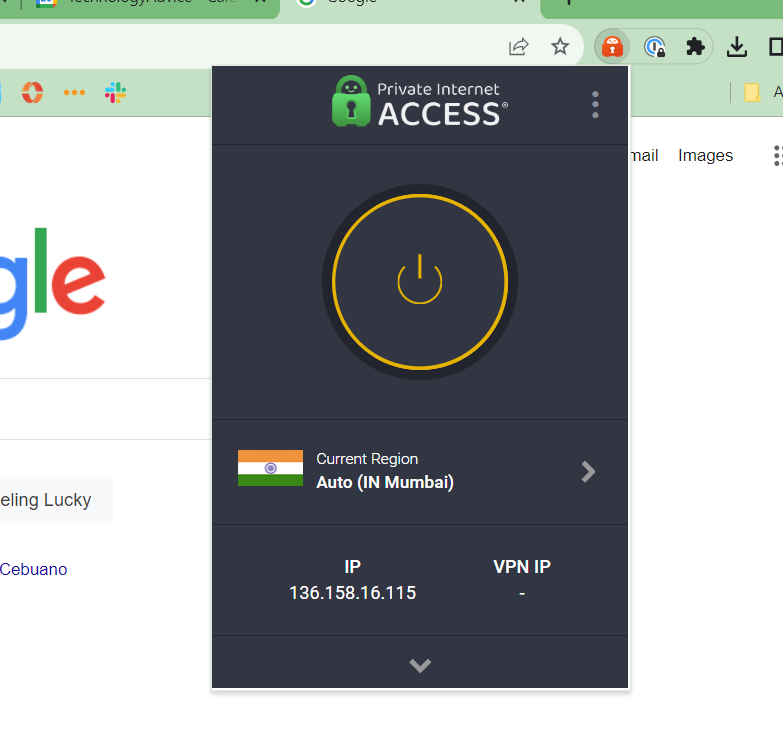
Another prominent VPN Chrome extension I recommend is Private Internet Access (PIA) VPN. It brings useful privacy and security features such as anti-tracking tools, ad blocking, and WebRTC protection. I personally like it for its stable VPN connection and reasonably fast speeds.
PIA allows for unlimited device connections, making it a good choice for users who want to protect multiple devices. I know this is a big consideration, especially for more budget-oriented users.
Why I chose PIA VPN
PIA VPN’s Chrome extension earns its place on my list for its customizable VPN experience. During setup, the PIA extension allowed me to toggle personalized security settings such as blocking camera or microphone access, disabling credit card autofills, and disabling third-party cookies. As a tinkerer myself, this kind of customization is very much appreciated. The PIA Chrome extension also includes the ability to save your favorite settings.
You can even set specific websites to run outside of the VPN’s protected connection and bookmark menus you want to view at the top of the extension.
Pricing
PIA VPN offers a seven-day free trial through the Google Play Store and Apple App Store. New users who subscribe through its website instead receive a 30-day money-back guarantee. Subscription prices are as follows:
- Monthly: $11.95/month.
- One year: $3.33/month, billed at $39.95 for the first year.
- Three years plus three bonus months: $2.03/month, with the subscription renewing at $79 every three years.
Features
- Blocks unauthorized webcam and mic access.
- Ad and tracker blocking.
- WebRTC protection.
- No logs policy.
- Prevents sites from accessing location info.
Pros and cons
| Pros | Cons |
|---|---|
| Unlimited device connections. | U.S.-based operations and surveillance practices. |
| Customizable VPN experience. | |
| Latency shown within the server list. | |
| Bypass list in the extension itself. |
In our review, PIA VPN received 4.2 out of 5 stars. For more information, read the full Private Internet Access (PIA) review.
Surfshark: Best for multiple device users

For users looking to support a number of devices, I recommend Surfshark. With its dedicated Chrome extension, you gain access to its suite of more than 4,500 servers in 100 countries. In my experience, Surfshark offers fast speeds and a well-designed desktop application. You also get protection via Surfshark’s WireGuard, OpenVPN, and IKEv2/IPsec security protocols.
On top of that, it has two value-laden propositions: its affordable pricing and support for unlimited simultaneous device connections. This lets you connect all of your devices at the same time without purchasing another subscription. To me, this is a meaningful feature that really helps set Surfshark apart from the competition.
Why I chose Surfshark
I selected Surfshark, as it offers unlimited device connections with all three of its paid subscription plans. Like PIA VPN, Surfshark’s unlimited simultaneous connections is an underrated value proposition, as it eliminates the need to pay for an additional plan in order to protect more devices. I know this is particularly important if you or your business uses multiple devices in your workflow.
Pricing
Surfshark offers one-year, two-year, and monthly plans. Of the three, I feel Surfshark One’s two-year plan to be the most cost-effective, particularly with the current offer that includes three extra months. Below is an overview of Surfshark One’s current pricing:
- Monthly: $15.45/month.
- One year: $2.99/month.
- Two years: $2.49/month.
Features
- Ad and malware blocker.
- Unlimited device connections.
- No activity logs policy.
- Can bypass local firewalls.
- Includes cookie pop-up blocker.
Pros and cons
| Pros | Cons |
|---|---|
| Extensive server suite spread across 100 countries. | Reported to have sluggish speeds during peak times. |
| Allows for multiple devices on a single subscription. |
In our review of Surfshark’s desktop app, the VPN received 4.6 stars out of 5. For more information, read the full Surfshark VPN review.
More about Cloud Security
Key features of VPNs for Chrome
The following are key features that I recommend you consider when looking for a Chrome VPN extension.
One-click connection
Having a one-click connect/disconnect button is a simple but underrated feature that most Chrome VPN extensions should have. This button shouldn’t be hidden under menus or multiple options and must be easy to activate from the Chrome extensions panel.
Multi-device support
Another essential feature for Chrome VPN extensions is multi-device support. If you use Chrome as your primary browser, having the VPN extension available on multiple devices is important. This allows you to have uniform protection and security across all your devices that run Chrome, be it your laptop, smartphone, or tablet.
No-logs policy
A quality VPN provider should have a clear no-logs policy. VPNs are mainly used to protect sensitive user data. Through a no-logs policy, users can be assured that none of their personal data or identifiable information is recorded by the VPN provider. This may include data such as IP addresses, browsing history, and session durations. Having a no-logs policy that’s verified by an independent security audit is also an important consideration. This gives users hard evidence confirming whether or not VPNs adhere to their own no-logs policies.
How do I choose the best VPN extension for Chrome?
When choosing a Chrome VPN extension, it’s important to consider a few factors. First, you should take a look at a VPN vendor’s security features and if they have a verified no-logs policy. The presence of strong encryption is crucial, given that this is what primarily protects your browsing data. A no-logs policy also ensures that the VPN isn’t keeping track of any of your activities or information.
You should likewise consider how many devices you want to secure via a Chrome VPN extension and whether a particular vendor offers the number of device connections you need. In addition, a VPN extension that includes ad, malware, and tracker blocking will help remove intrusive content and improve your overall browsing experience.
Methodology
This round-up of the best Chrome VPN extensions was originally written by Franklin Okeke and updated by Luis Millares and Liz Ticong. In both versions, essential features of the listed Chrome VPN extensions were assessed, such as security features, pricing, and ease-of-use. Information from the vendor, reputable reviews, and user testimonials were also used to supplement our analysis.
In this article, our analysis of each Chrome VPN extension was updated to include findings from our hands-on experiences and real-world testing. The star rating from each VPN’s individual review was also incorporated.
Find out which VPNs work best for Australia in 2026, including pricing, features, pros, and cons.
>

During a Thursday hearing, a judge said the Trump administration hasn’t presented enough evidence to justify labeling Anthropic a supply chain risk and banning the federal government from using the company’s technology.
Bloomberg and Axios were among the first to report the news.
The dispute stems from stalled contract negotiations between Anthropic and the Department of Defense. Anthropic said it didn’t want its AI used for mass surveillance of Americans or for targeting or firing decisions involving lethal weapons, arguing the technology wasn’t ready. The Pentagon countered that a private company shouldn’t dictate how the military uses technologies, and said it would use the tools in “lawful” ways.
The government has also argued that Anthropic’s public criticism of the DoD justifies the ban — logic that U.S. District Judge Rita Lin called “really troubling,” warning it could set a precedent of retaliating against federal contractors who disagree with the administration.
The DOD further claimed Anthropic could potentially disable or alter its AI models during warfighting operations — a claim that experts say lacks evidence. Lin agreed, saying she saw no proof Anthropic could alter a delivered model or “flip some kind of kill switch.”
Thursday’s hearing was part of one of two lawsuits Anthropic filed against the DOD in March, challenging the ban and risk designation. The other is being heard in Washington.
Lin, who temporarily blocked the ban in March, is now weighing whether to make that order permanent.
>

Hundreds of thousands of people are receiving letters notifying them that their medical records were stolen in a cyberattack at U.S. health tech giant CareCloud earlier this year, as new details about the data breach come to light.
The company has said little about the breach since March, when it first admitted that hackers had raided one of its six stores of patient data. New disclosures seen by TechCrunch offer the clearest picture of the breach so far, including that nearly 350,000 people have been affected so far.
The New Jersey-based CareCloud stores patient records for more than 45,000 providers across the U.S., including doctors’ offices, hospitals, and other medical practices. As such, the company handles a large amount of sensitive medical and billing data on millions of healthcare patients across the country.
According to a data breach notice filed with California’s attorney general’s office this week, CareCloud said hackers had access to one of its electronic health record data stores for at least six days, between March 10 and March 16. The company said a hacker “claimed to have exfiltrated data from databases.” The company did not say how the hackers made the claim, but it’s not uncommon for hackers to share samples of stolen data with victims alongside a ransom demand to prevent it from being published online.
TechCrunch is unaware of any ransomware or extortion group publicly taking credit for the data breach at CareCloud.
The notice said little about the hack beyond its initial March 27 disclosure to regulators, but confirmed TechCrunch’s earlier report that the hackers broke into the company’s data storage hosted on Amazon Web Services.
TechCrunch has learned that the data breach affects at least 345,000 people across the United States, according to listings with several attorneys general, including those in New Hampshire, Massachusetts, and Texas. TechCrunch has also obtained CareCloud’s disclosure filed with Maine’s attorney general.
The number of affected people is likely to rise as more disclosures are filed with state authorities.
The notices confirm that CareCloud notified authorities that the stolen data included people’s names, postal addresses, and Social Security numbers, as well as government-issued identification numbers, such as passports and driver’s licenses. The notices also say that the stolen data included financial information, such as bank account information and payment card numbers, alongside a wealth of medical and health-related information.
CareCloud chief executive Stephen Snyder did not respond to TechCrunch’s request for comment or to questions about the incident.
The cyberattack targeting CareCloud is the latest in a series of breaches targeting healthcare providers this year, including one at healthcare revenue tech giant TriZetto that affected 3.4 million people, and a month-long breach at New York’s public health provider NYC Health + Hospitals, in which hackers stole 1.8 million people’s health data and thousands of employees’ fingerprint scans.
Last week, U.K.-based tech provider Craneware, which provides accounting and billing software to thousands of U.S. healthcare providers, confirmed hackers stole a “significant volume” of its customers’ data from its servers, raising concerns about a breach involving patient data.
Do you know more about CareCloud’s data breach? Do you work at CareCloud and know about its security practices? Contact this reporter via encrypted message at zackwhittaker.1337 on Signal.
When you purchase through links in our articles, we may earn a small commission. This doesn’t affect our editorial independence.
>

Google plans to expand its Play Age Signals API globally, helping Android developers tailor app experiences without collecting exact birth dates.
The post Google Plans Global Rollout of Privacy-Focused Age Signals API appeared first on TechRepublic.
>

The Magic Faraway Tree Team on Bringing 1940s Classic Into Modern Era

Commonwealth Games 2026: England netball team beat South Africa to reach semi-finals

Quinta Brunson And Tyler James Williams Talk ‘Abbott Elementary”
-

 movies2 months ago
Search For Canadian TV Actor Stewart McLean Now Homicide Investigation
-

 Fashion9 years ago
These ’90s fashion trends are making a comeback in 2017
-
Fashion9 years ago
According to Dior Couture, this taboo fashion accessory is back
-
Fashion9 years ago
Model Jocelyn Chew’s Instagram is the best vacation you’ve ever had
-
Fashion9 years ago
Your comprehensive guide to this fall’s biggest trends
-
Fashion9 years ago
9 Celebrities who have spoken out about being photoshopped
-
Fashion9 years ago
Emily Ratajkowski channels back-to-school style
-
Fashion9 years ago
A photo diary of the nightlife scene from LA To Ibiza