
Tech
Clicks’ Power Keyboard brings BlackBerry-style typing to any phone — with some compromises

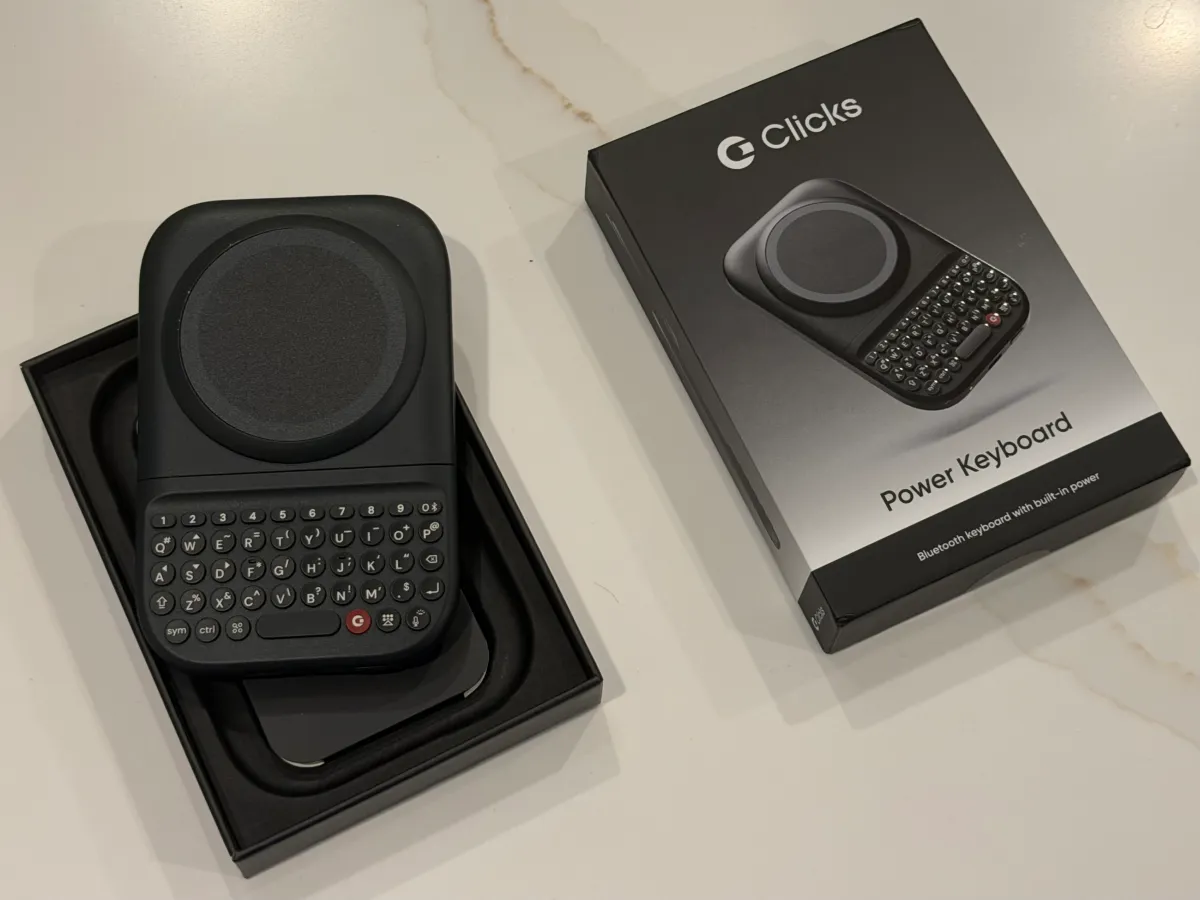
Clicks Technology, the startup determined to bring back physical keyboards to smartphones, began shipping its now-$99 MagSafe-compatible Power Keyboard this summer, after some delays. As of last week, 75% of the pre-orders from the first batch had shipped to customers.
Designed to work with a range of devices, this new, slide-out keyboard with tactile buttons can accommodate different phone sizes and can be used in either portrait or landscape mode, the company says, giving any phone a BlackBerry-like feel.
The device is something of a teaser for what’s to come when Clicks ships its first smartphone, the BlackBerry-like Clicks Communicator, also featuring a physical keyboard, later this year.
Like the upcoming smartphone, the idea behind the Power Keyboard is to provide an alternative to onscreen keyboards for those who miss the speed and reliability that came with typing on a small, physical keyboard.
However, in its current implementation, the Power Keyboard suffers from the same fate as the company’s earlier Clicks keyboard — a smartphone case that included a physical keyboard. It can make the phone feel top-heavy and difficult to hold in portrait mode, especially if you’re using a larger smartphone as I did in tests with the iPhone 17 Pro Max and Pixel 10 XL.
Still, the device itself is crafted with care, and could appeal to those who still desperately long for their BlackBerry.

Unboxing the device, we noticed the Power Keyboard was nicely packaged as a premium device would be, with peel-away cling films to prevent scratches during shipping and a full-color Quick Start guide to using the product.
You may first need to charge the device’s battery via USB-C, though we found ours shipped with a charge already. To pair the device with your phone over Bluetooth, press and hold the power button and slide out the keyboard. We quickly paired the device with our Android phone. We ran into trouble once we switched over to the iPhone. Even after “forgetting” the device on Android, it still refused to pair with our iPhone. Returning to the instructions, it appears this was our mistake. The trick is to press a number key alongside the power button on the keyboard to add a second Bluetooth device. (The only way to actually “forget” a device is by removing it from its slot using the Clicks mobile app.)
The keyboard attaches to your phone via MagSafe or Qi2. If your phone doesn’t support either technology, you could opt to use an adhesive ring or a phone case that adds the magnetic power profile instead.

Once connected, you can then pull the keyboard out when you need to type. Helpfully, the keyboard adjusts to different phone sizes, so it will work with standard models as well as larger “Ultra” or “Pro Max” devices. We appreciated the satisfying clicks as the keyboard locked into place on the various sliders. The keyboard offers an adjustable LED backlight, so you can type in the dark.
The keys themselves have a nice, clicky feel and are well-placed, making them easy to reach. While it takes quite a bit of adjustment after years of on-screen keyboards to return to pressing buttons, the learning curve is less steep than it was on the earlier Clicks keyboard case. It’s clear that the company has been iterating on what it learned with its older device, and those lessons have been channeled into this product.
In addition, while Clicks’ older keyboard case pulled power from the phone by way of its USB-C connection, the Power Keyboard instead includes a built-in 2,150 mAh battery.

The product itself has a slimmer profile than some snap-on battery packs, at 119.7 × 76.6 × 15.2mm, and doesn’t add an unreasonable amount of weight at 180 grams. Nevertheless, this is not something that would fit well in a woman’s pants pocket. The keyboard could get caught on a back pocket as well, as it could slide open if you press against the device while trying to cram the phone and keyboard into your pocket too quickly.
Despite the added heft, there is an advantage to the battery pack that powers the keyboard — it can provide wireless charging to products with MagSafe and Qi2. (You can opt to entirely disable wireless charging in the Clicks companion app, if you prefer to keep all the power reserved for the keyboard itself. Or you can designate a portion of the battery just for the keyboard.)
Another key advantage of the Power Keyboard is that it is highly customizable. Users can enable the Clicks key on the keyboard to function as a Tab button, or turn on “Cursor Mode” (Sym + CMD) to make certain letters on your keypad work as directional keys that move a cursor on the screen.

You can also adjust various settings like the idle timeout, battery reserves for wireless charging, LED backlight, and whether the Return key works as a hard or soft return. You can create your own Number Row shortcuts that allow you to press a number and the Sym button to enable Esc, volume controls, play/pause options, page up/down, and more.
And you can pair Apple Shortcuts with certain keys to do other things like start a call, get a weather forecast, turn on the flashlight, receive an AirDrop, send texts, and much more. (Several popular shortcuts are included in the Clicks app, but you can add your own.)
These, of course, are power user features that you’ll only appreciate if you get comfortable with typing on the keyboard first. That could take some time to learn, and arguably, you’ll be more comfortable using smaller, standard phones or lightweight options, like the iPhone Air. As for larger devices, we found it much easier to get started in landscape mode.

We also struggled to type comfortably with our iPhone case on, although it’s a heftier, protective case, not a slim case. To test the device, we removed the case and used our iPhone bare. While that was much better, it was still somewhat difficult to use because of the larger phone.
The company itself says it has tested the device with a number of phone models, including the iPhone Air, 17 Pro, 17 Pro Max, 16 Pro, Pixel 9, Galaxy Fold, and other Android devices.
Whether or not the keyboard is worth the purchase has much to do with how much you really miss your BlackBerry; for the time being, it’s an affordable enough holdover until the company’s smartphone ships, at least. (Prototypes of the phone were much easier to use when we tried them at CES in January. It’s obviously easier to make a comfortable device when Clicks is in control of all the technical specifications, instead of having to create something that works with phones of various weights and sizes.)
While the Power Keyboard works as advertised, for the sake of comfort and portability, I’d prefer to make the switch to physical keys with Clicks’ Communicator smartphone.

If you also decide this keyboard is not for you, all is not lost: There’s still another way to use the product.
Because the Power Keyboard should be able to pair with any device that supports external Bluetooth keyboards, you could use it with tablets, smart TVs like the Apple TV, or AR/VR headsets, like the Apple Vision Pro. This could come in handy when you’re trying to set up new apps and have to type your email address and passwords awkwardly via a remote control or other input method.
TechCrunch tries new devices via review units, which are later returned to the company or donated, depending on the company’s specific return procedures.
When you purchase through links in our articles, we may earn a small commission. This doesn’t affect our editorial independence.
>
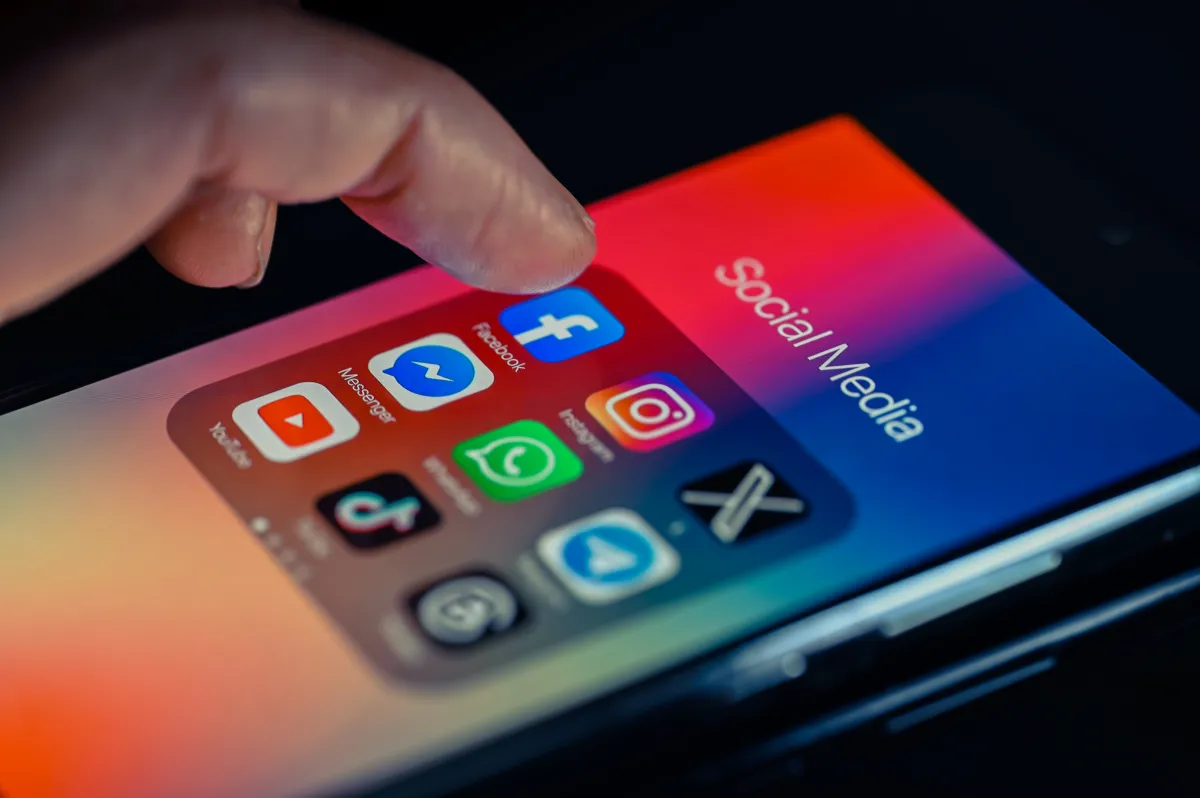
Social media companies like Meta, TikTok, Snapchat, and Google are facing a long road of litigation over claims that they intentionally designed their products to be addictive to minors.
According to a report from Reuters, San Francisco’s 9th U.S. Circuit Court of Appeals denied these platforms’ attempt to defend themselves from thousands of lawsuits through an argument based on Section 230, which protects publishers and platforms from being held liable for users’ posts. The companies argued that Section 230 could also protect them from the claim that they did not warn the public about addictive design choices, but the court said the appeal may have come too soon, since this type of appeal usually arrives after a trial.
These thousands of lawsuits, which come from private individuals, state and local governments, and school districts, were consolidated into one federal suit and will proceed as such.
It’s too early to say how these addictive design lawsuits will pan out, but so far, Meta lost two lawsuits over similar issues, marking the first time that the platform was held liable over child safety concerns in jury trials.
>

Competing Android app stores are now back on Google Play in the U.S., and Aptoide is the first to take advantage of the new option. On Monday, the Portugal-based app distributor brought its games store back to Google Play after more than a decade, crediting the loosening of restrictions that had been criticized as anticompetitive.
For the first time in many years, U.S. users will be able to install a competitor to Google’s Android app store directly from Google Play itself, a milestone in terms of opening the app market to more competition.
Aptoide’s independent app store is one of the larger Android app marketplaces outside of Google Play, offering more than 40,000 Android applications to its roughly 25 million monthly active users. The U.S. has been Aptoide’s largest market to date, but until now, the store had to be sideloaded on Android devices, limiting its reach.

That changed following U.S. District Judge James Donato’s ruling in the Epic Games lawsuit, which, among other things, now requires Google to allow the installation of third-party apps from outside the Play Store. As of June 22, 2026, Google began allowing third-party app stores to access Google Play’s app catalog through the Play Catalog Access Program. This allows competitors to access Google Play infrastructure, including its catalog of apps that can be offered to users, while remaining an independent store.
Epic Games first sued Google in 2020, alleging anticompetitive abuses in the Android app ecosystem. A jury trial ruled in Epic’s favor in 2023. Google appealed the ruling, but lost. Earlier this year, the comapny said it would drop Play Store commissions and make it easier for Android users to install alternative app stores.
>

YouTube announced on Monday that new creators will have to meet higher thresholds to begin earning money from ads and subscriptions.
Creators who want to start earning on the platform will need at least 8,000 qualified watch hours over the past year or 20 million qualified Shorts views in the last 90 days. Currently, creators need 1,000 subscribers and 4,000 watch hours over the past year or 1,000 subscribers and 10 million Shorts views over the past 90 days.
The change is going into effect starting February 1. The Google-owned company says the update won’t impact creators already in the YouTube Partner Program.
Additionally, YouTube announced that creators will need to maintain 10 million Shorts views over a 90-day period to earn money through the Shorts Creators Pool. Channels below this threshold will remain in the partner program and continue earning on long-form content, with Shorts revenue resuming once they cross 10 million views again.
YouTube says the changes are being introduced to “keep pace with the growth of YouTube, which now sees over 200 billion daily Shorts views and over a billion hours of watch time on TV” every day.
The changes make it harder for creators to enter and remain in YouTube’s monetization program, especially for Shorts creators. By increasing thresholds, YouTube is putting more pressure on creators’ ability to consistently bring in large audiences before being able to earn money on the platform, which could in turn lead to fewer new entrants being able to monetize their content.
As part of Monday’s announcement, YouTube announced that it’s expanding its more affordable Premium Lite subscription to all countries where YouTube Premium is available. Creators receive a share of subscription revenue based on member watch time and views, with 55% going to long-form video creators and 45% to Shorts creators.
“With these additional subscribers, creators can expect higher earnings: when a user signs up for Premium, partners, on average, earn more than when the user was watching ads,” the company wrote in a blog post.
Premium Lite offers an ad-free experience on most videos, along with the ability to download videos for offline viewing and play videos in the background.
YouTube isn’t the only social media company revising its creator rewards programs. Over the weekend, Elon Musk’s X also revamped creator payouts by changing its guidelines to only reward original content. Earlier this spring, Facebook also launched a new monetization program to attract creators from TikTok and YouTube.
When you purchase through links in our articles, we may earn a small commission. This doesn’t affect our editorial independence.
>

How to watch Sky vs. Storm: TV channel and streaming options for August 10

X Files Creator Chris Carter on Movie Recut, Aliens and Ryan Coogler

Cold Comforts – This Week in Mobile Games
-

 movies3 months ago
Search For Canadian TV Actor Stewart McLean Now Homicide Investigation
-

 Fashion9 years ago
These ’90s fashion trends are making a comeback in 2017
-
Fashion9 years ago
According to Dior Couture, this taboo fashion accessory is back
-
Fashion9 years ago
Model Jocelyn Chew’s Instagram is the best vacation you’ve ever had
-
Fashion9 years ago
Your comprehensive guide to this fall’s biggest trends
-
Fashion9 years ago
9 Celebrities who have spoken out about being photoshopped
-
Fashion9 years ago
Emily Ratajkowski channels back-to-school style
-
Fashion9 years ago
A photo diary of the nightlife scene from LA To Ibiza