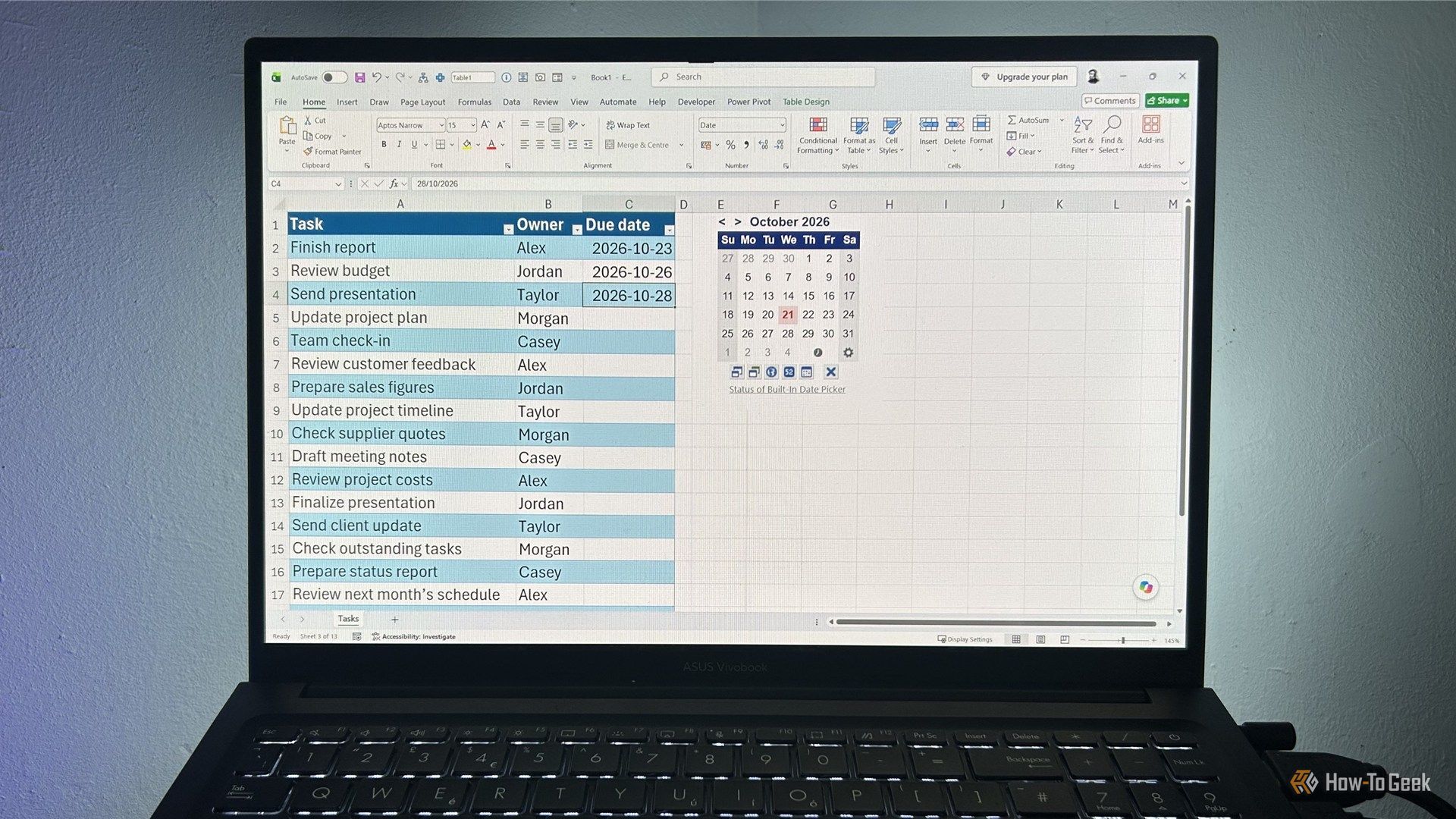
Excel’s built-in features cover most jobs, but a handful of free add-ins genuinely make everyday work faster and easier. Here’s how to install and use the best ones — starting with the two handy Office add-ins you’ll use every day, then moving to a heavy hitter for real analysis work.
Excel add-ins in action (Credits: How-To Geek)
1. Mini Calendar and Date Picker — Stop Typing Dates One Cell at a Time
In Excel for the web, double-clicking a date-formatted cell opens a calendar — but desktop Excel has no such feature. The Mini Calendar and Date Picker add-in from Vertex42 fills the gap: install it from the Add-ins store on the Home tab, search for the add-in, and click Add. Once installed, you can point and click to pick dates for deadlines, appointments, and to-do lists. It even applies a date number format to the selected cell automatically, saving you from formatting it separately. You can also display week numbers or insert the current time. If your spreadsheets are full of dates, this add-in will quietly save you a lot of typing. (Available: Excel 2013 SP1+ on Windows, Excel 2016+ on Mac, Excel for the web.)
2. People Graph — Turn Boring Data Into an Infographic
Standard Excel charts do the job, but sometimes you want flair for a report or presentation. The Microsoft Office add-in People Graph turns simple data into an infographic, with rows of little icons standing in for your numbers. It works with two columns of data — category labels and their values — and you can swap icons, colors, and layout to taste: box icons for product sales, money bags for revenue. The graphic updates when your data changes. (Available: Excel 2013+ on Windows, Excel 2016+ on Mac, Excel on iPad, Excel for the web.)
3. Analysis ToolPak — Do Real Statistics Without Being a Statistician
Microsoft’s Analysis ToolPak sounds intimidating, but you don’t need to be a statistician to get something useful from it. Pick an analysis, point Excel at your data, and let it do the number-crunching: descriptive statistics, histograms, regression analysis, correlation, ANOVA, and more. It’s a free add-in included with desktop Excel — enable it via File > Options > Add-ins > Manage Excel Add-ins > Go, check Analysis ToolPak, and click OK. (Available: Excel 2016+ on Windows, Excel 2021+ on Mac.)
Pro tip: install all of these from the same place — the Add-ins store on the Home tab — and they’ll sit on your ribbon, ready whenever a spreadsheet needs a speed boost.
Also Read: How to Ditch Cursor’s Subscription for Cline, the Free Open-Source AI Coding Assistant
Source: How-To Geek — read the full story there.