Worried about uploading your bank statements, invoices or health documents to ChatGPT or Claude? You do not have to give up AI help to keep your private files private. A free app called Ollama lets you run an AI model entirely on your own PC, so your documents never leave your machine.
Ollama on Windows (Credits: How-To Geek)
How Ollama Handles Private Documents On Your PC
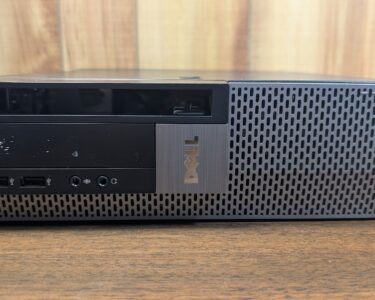
The idea is simple: instead of sending your files to a cloud AI provider, you download a model and run it locally. How-To Geek’s Rich Hein runs Ollama with the Qwen2.5:7B model — a 4.7GB download — on a mini PC with an AMD Ryzen 5 processor and 32GB of RAM, with no powerful graphics card required.
Getting started is straightforward. Download Ollama from its website, install the Windows app, and browse and download models through its graphical interface — no terminal needed. Once the model is running, using it feels much like ChatGPT or Claude: drag a PDF into the conversation, or use the attachment option, then ask questions in plain language.
What You Can Ask Ollama About Your Documents
You can ask Ollama to summarise a document, find a specific detail, explain complicated wording or answer questions about its contents — and ask follow-ups in the same conversation without re-uploading the file. Hein tested it on eight sample documents, including invoices, bank statements, service contracts and product manuals, attaching each one individually and starting with simple questions before moving to harder ones.
One test shows why this matters: asked about exclusions in a maintenance service contract, the model correctly identified several, including hardware replacement, ransomware recovery and after-hours onsite work. Given a hypothetical Saturday network outage, it connected several contract provisions to explain why Saturday coverage would not apply. For bills and statements, the same approach lets you compare this month’s charges with last month’s or decode a confusing term — without handing your financial details to a big tech company.
Local AI is not magic, and smaller models will not match the biggest cloud models on every question. But for sensitive documents, the trade-off is the point: your files stay on your PC, your questions stay private, and you still get useful answers. If you have ever hesitated before uploading a private document to an AI chatbot, Ollama is the free, practical alternative worth trying.
Also Read: 3 Open-Source Mac Tools You Should Install Today: Maccy, LuLu and LocalSend
Source: How-To Geek — read the full story there.