Problem: you jailbroke your Kindle to run KOReader, and suddenly your Goodreads reading stats stopped updating. Modern Kindles sync with Goodreads automatically, but KOReader has no native Goodreads link. Here is the fix one reader used: a free, open-source plugin called ShelfSync that shares KOReader stats with Goodreads automatically.
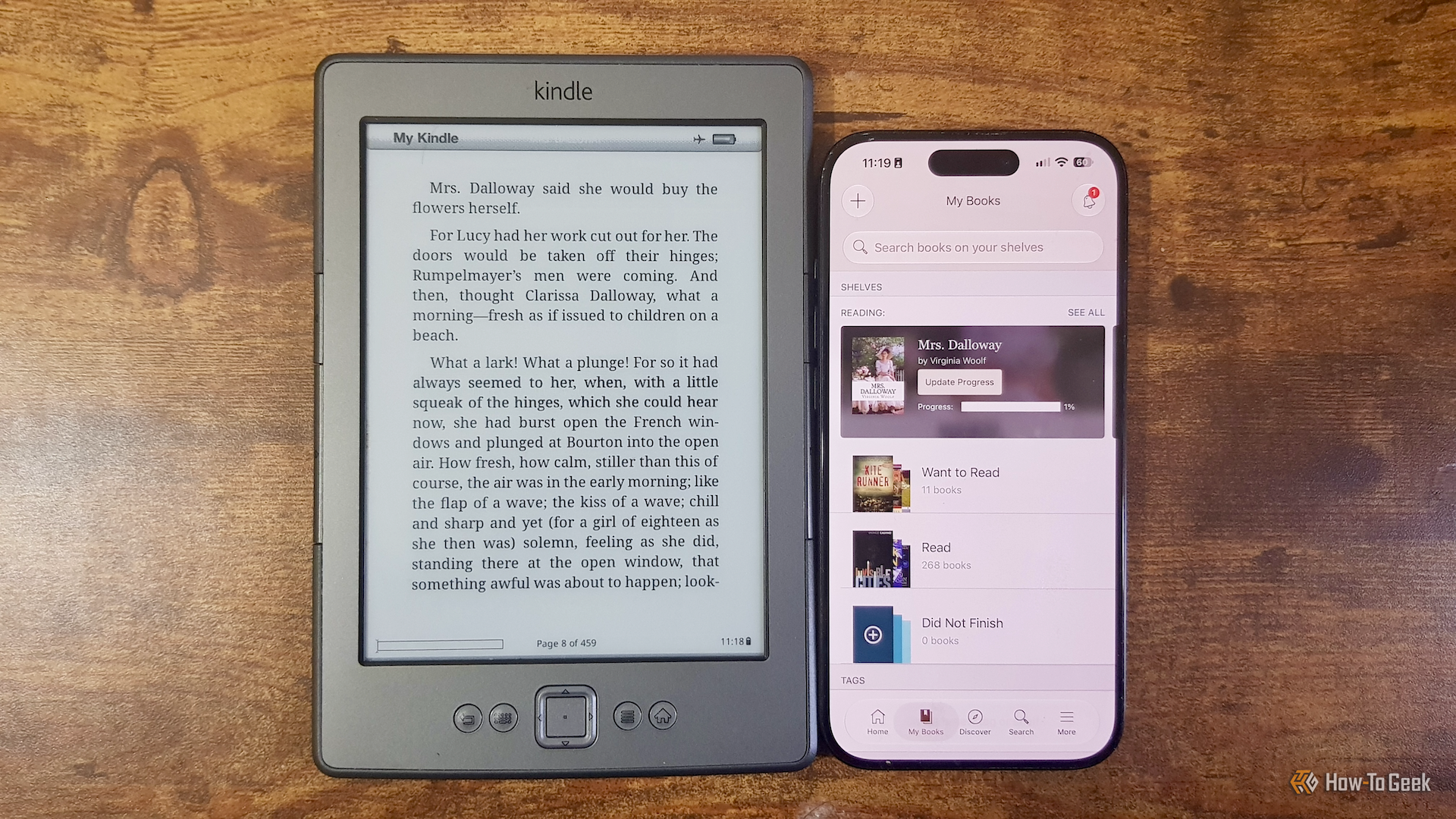
Kindle with Goodreads (Credits: How-To Geek)
Goodreads is a social app for readers that tracks the books you are reading, the books you have finished, and the books you want to read. It also lets you leave reviews, see what friends are reading, and get recommendations.
Why Jailbroken Kindles Lose Goodreads Sync
On many newer Kindle models, you can link your Kindle and Goodreads accounts so progress flows between them. Start a new book on your Kindle and it appears in Goodreads as Currently Reading. Finish it and it moves to Read.
That integration was never supported on the fourth-generation Kindle, which Amazon has now dropped support for completely. After jailbreaking that Kindle and installing KOReader, the reading app could track statistics natively, but there was no built-in way to share them with Goodreads.
That gap is exactly what ShelfSync fills. The plugin can share KOReader reading stats with a Goodreads account, and it also supports other tracking services, including StoryGraph, Hardcover and Pagebound.
How to Set Up ShelfSync for Goodreads
Installation is straightforward. You can drop ShelfSync into the KOReader plugins folder, or install it directly from your Kindle using the Storefront plugin.
Linking to Goodreads takes a little more work than a standard Kindle connection. You cannot simply connect your Goodreads account directly from the device. Instead, sign in to Goodreads on a computer and use ShelfSync’s cookie-import tool to copy the browser cookies that show you are already signed in.
That approach has a welcome side benefit: you never need to type your account details and password on the Kindle itself, which is a relief on a non-touch device where entering text is slow and painful.
Once connected, ShelfSync can access your Goodreads account and keep it in step with your reading. In the author’s test, opening Mrs. Dalloway by Virginia Woolf, a book not already on his Goodreads shelf, saw it appear in his Currently Reading section after he opened it on the Kindle.
What Syncs and What to Watch For
Current books, progress stats and completed books all show up in Goodreads once ShelfSync is running. That means your reading goals and shelves stay accurate without manual updates, even on an old device Amazon no longer supports.
A few practical notes before you try it. This route only applies if you have already jailbroken a Kindle and use KOReader; it is not a setting on a stock Kindle. Cookie-based logins can also expire or need refreshing, so if syncing stops, re-running the cookie import is the first thing to check.
For readers who love an old Kindle but also love keeping their Goodreads shelves tidy, ShelfSync closes the gap neatly. Your Kindle tracks the reading, the plugin does the sharing, and your stats stay up to date on their own.
Also Read: Build Your Own E-Ink Display From a Cheap Used Kindle This Weekend and Xteink X4 Classic V2 eReader Drops to $79 on Amazon
Source: How-To Geek — read the full story there.