Excel is great at organizing information and crunching numbers, but there’s a point where forcing it to do everything creates more hassle than it saves. The trick, according to How-To Geek’s Tony Phillips, is to connect Excel to other tools and let them handle the work around your spreadsheets. Here are the four he uses.
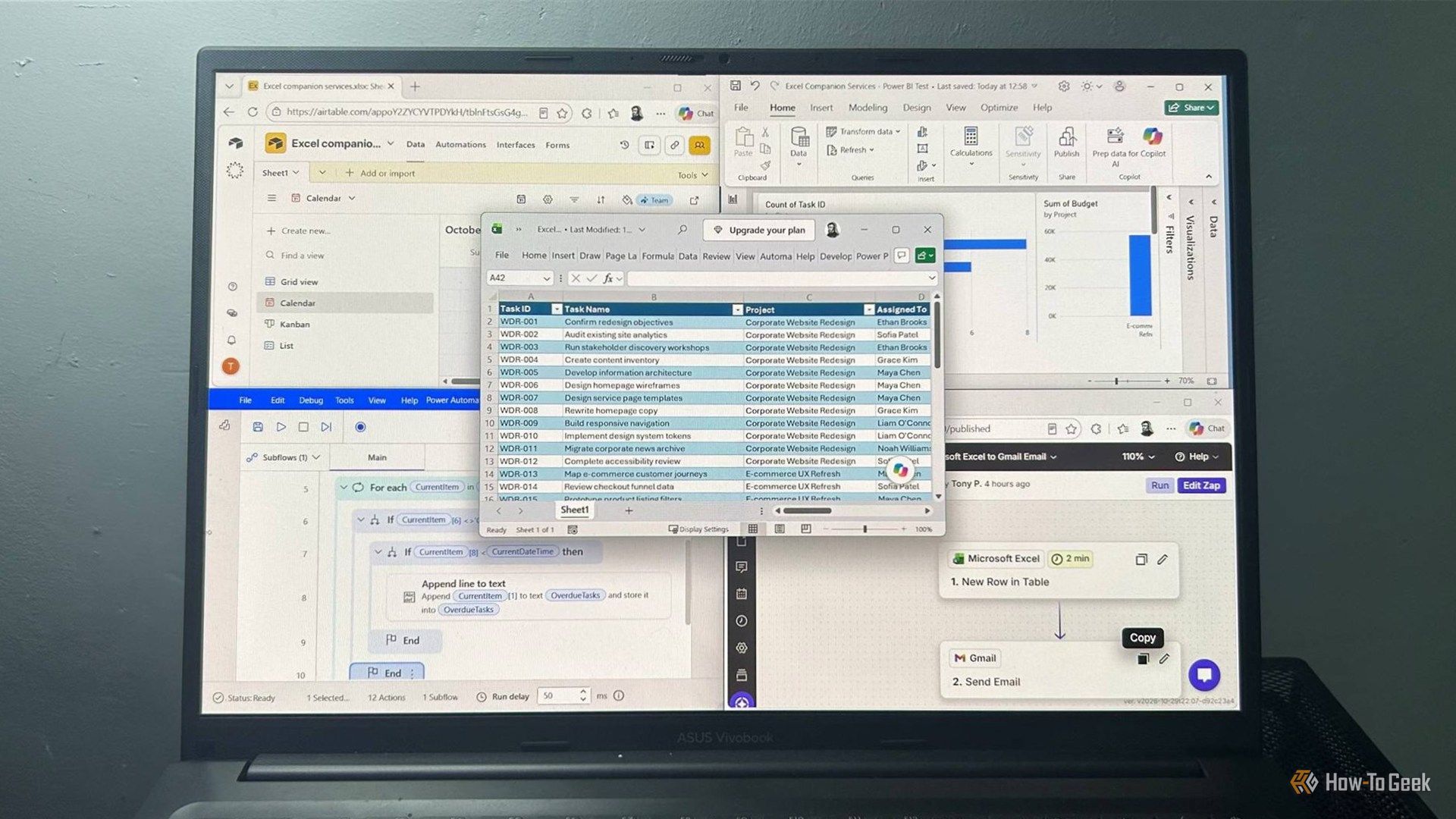
Excel connected to tools (Credits: How-To Geek)
Connect Excel to Zapier for Automated Notifications
If you’re tired of repeatedly checking whether something changed in a workbook, Zapier is the fix. It connects Excel to hundreds of other services, and its visual editor lets you pick an Excel event — like adding a new row — and decide what happens next.
Phillips set up a workflow that watches an Excel project tracker and sends a Gmail notification whenever someone adds a new task, with the task name right in the email so he never has to open the workbook. The same idea works for Microsoft Teams or Slack messages, creating records in another service, or triggering other actions.
Zapier’s Free plan gives you 100 tasks per month with unlimited two-step Zaps (one trigger, one action). One caveat: free-plan Zaps check for new data every 15 minutes, versus every minute on a paid plan. Also note the Excel integration officially requires a Microsoft 365 Business or Enterprise account with OneDrive for Business, though Phillips got it working with a personal Microsoft account and personal OneDrive.
Connect Excel to Power BI for Interactive Reports
Excel’s built-in charts are fine, but Power BI gives you a dedicated environment for turning spreadsheet data into interactive reports. You import an Excel workbook, build visualizations from its data, and arrange them on a single report page — like task counts by status, budgets by project, and estimated hours by department, all pulled from one project tracker.
Power Automate and Airtable Complete the Setup
Alongside Zapier and Power BI, Phillips rounds out his stack with Power Automate for Microsoft-native automation flows and Airtable for turning spreadsheet-style data into a more flexible, database-like workspace. From automated notifications to interactive reports, each tool takes one kind of Excel busywork off your plate.
Also Read: I Turned My Router’s USB Port Into a Free NAS — and It Ruined My Network
Source: How-To Geek — read the full story there.