
Tech
YouTube will now count a view as soon as a video starts playing


YouTube announced on Monday that it’s changing how views are counted on its platform, with a view now counting as soon as a video starts playing or someone enters a live broadcast. Although the Google-owned platform never disclosed how it previously counted views, it was generally understood that a view was counted after a user watched at least 30 seconds of a video.
The change comes a year after YouTube applied the same approach to counting views on Shorts videos. It’s worth noting that rivals TikTok and Instagram also count views as soon as a video starts playing.
“Historically, we’ve used multiple view counting systems across different formats,” the company wrote in a YouTube Community post. “However, we’ve heard that creators want to eliminate this metric confusion and accurately understand their true exposure, which is why we’re making this update.”
The shift could lead to significantly increased YouTube view counts, especially for videos that only briefly capture viewers’ attention. That means public view counts may no longer be a useful tool for creators and advertisers to determine how popular a video may be.
YouTube says it will keep the original view metric, now called “Engaged views,” accessible to creators through its Analytics tools to allow them to see how many viewers chose to continue watching their videos.
The company notes that the change won’t impact creators’ earnings or how they become eligible for monetization through the YouTube Partner Program.
The update, which goes into effect on August 24, comes a week after YouTube made another creator-focused change, announcing that new creators will have to meet higher thresholds to begin earning money from ads and subscriptions starting next year.
Creators who want to start earning on the platform will need at least 8,000 qualified watch hours over the past year or 20 million qualified Shorts views in the last 90 days. Currently, creators need 1,000 subscribers and 4,000 watch hours over the past year or 1,000 subscribers and 10 million Shorts views over the past 90 days. Additionally, creators need to maintain 10 million Shorts views over a 90-day period to earn money.
The decision has drawn backlash from users, as it will make it harder for creators to enter and remain in YouTube’s monetization program.
When you purchase through links in our articles, we may earn a small commission. This doesn’t affect our editorial independence.
>
A modder strapped two desktop CPU coolers to a ZTE Nubia Z70 Ultra and got The Witcher 3 running locally at 1080p on the Ultra preset.
That is about as literal as “turn your phone into a PC” gets.
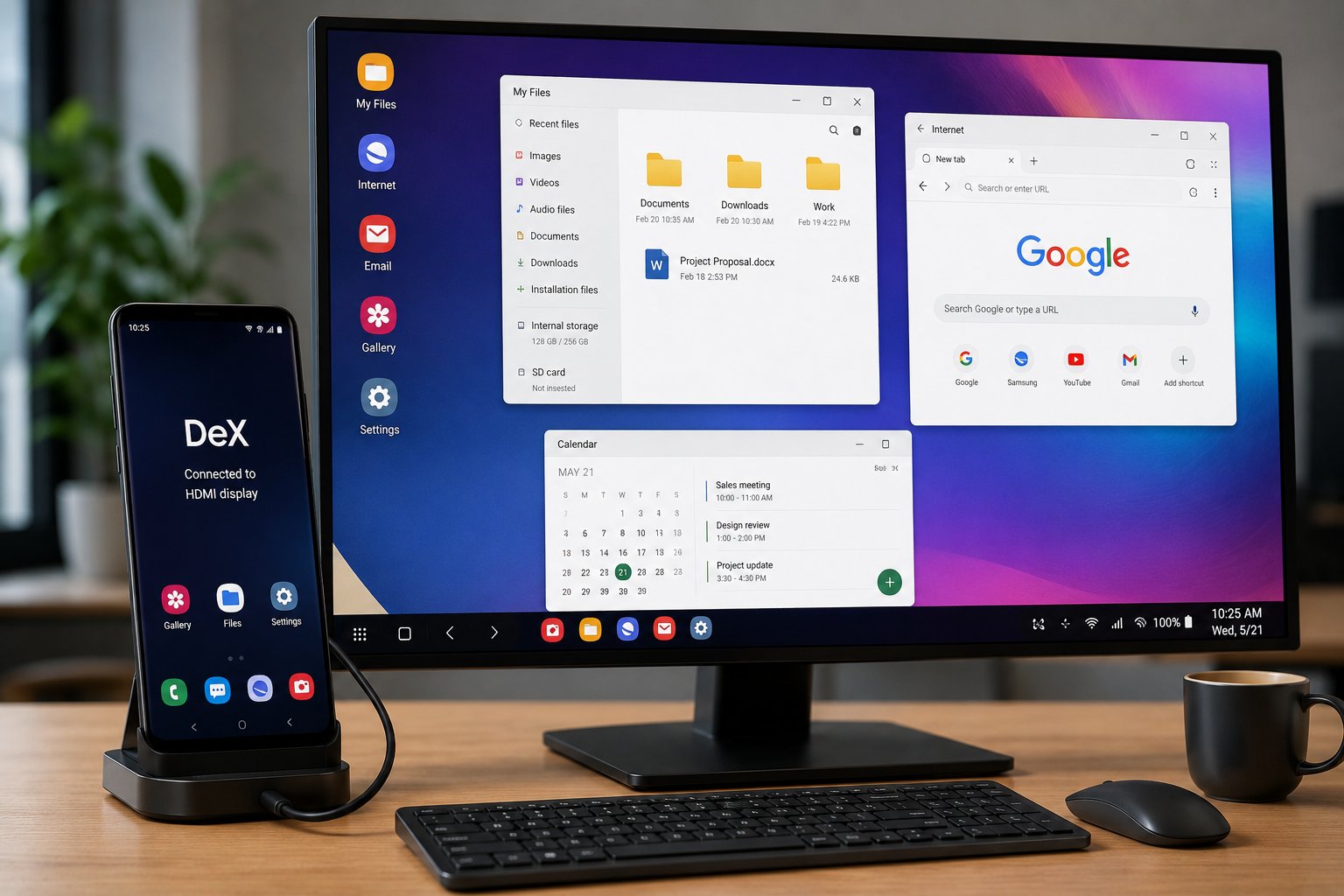
The hardware was pushed far beyond a normal handset configuration, but supported Android phones can now deliver a desktop-style setup with an external monitor, keyboard, and mouse, no heatsink sandwich required. Google brought connected-display desktop support to Android 16 QPR3, while Samsung continues to offer DeX on compatible Galaxy devices.
The ZTE mod pushes Snapdragon hard
The Nubia Z70 Ultra used in the build has a Snapdragon 8 Elite, 24GB of LPDDR5X RAM, and 1TB of UFS 4.0 storage.
According to Tom’s Hardware, the creator removed the cameras and mobile-network hardware, moved the display into a custom enclosure, and mounted desktop heatsinks around the remaining components.
The cooling paid off. In a 20-loop 3DMark Wild Life Extreme stress test, the rig posted 99% stability, with scores ranging from 6,910 to 6,980.
The creator also built an XFCE Linux desktop through Termux and used Turnip graphics drivers with Wine, Box64, Hangover, and GameNative to run Windows software locally. The Witcher 3 reportedly managed about 20 to 30 FPS at 1080p Ultra, with GPU utilization near 99%.
Those results come from the creator’s setup and have not been independently reproduced. They also depend on heavily modified hardware and an unofficial software stack.
Running Geralt at 30 FPS is impressive; managing 200 phones built that way would be a different adventure.
How to actually use your phone as a desktop
For supported Android phones, the practical setup is much simpler.
Google says connected-display desktop support reached general availability with Android 16 QPR3 on supported Pixel and Samsung devices. The phone can keep its normal screen while the monitor opens a separate desktop session with free-form windows, a taskbar, and keyboard and mouse support.
- Check that your phone supports desktop mode. Google lists supported Pixel and Samsung devices, while the earlier Pixel desktop-mode rollout shows how Android has been moving toward larger-screen workflows.
- Connect an external display. A supported phone can connect to a compatible monitor over USB-C or an appropriate HDMI adapter. Samsung DeX can also connect wirelessly to a compatible display.
- Add a keyboard and mouse. Android’s desktop environment supports physical keyboards, mice, and trackpads. Apps can open in movable, resizable windows rather than stretching the phone interface across a larger screen.
- On Samsung, launch DeX. The Galaxy S26 series supports both wired and wireless DeX. For a wired setup, connect the phone to a compatible display through USB-C or HDMI and tap Start if prompted; if the prompt does not appear, open Quick Settings and select DeX. For wireless use, Samsung’s instructions direct users to Settings > Connected devices > Samsung DeX > Connect wirelessly, then select the display and tap Start now. DeX supports resizable windows, keyboard and mouse input, and using the phone itself as a touchpad.
For managed deployments, Samsung’s Knox Platform for Enterprise can configure DeX behavior and restrict unwanted apps or features. IT teams should still test displays, docks, peripherals, and business apps on the exact devices they plan to deploy.
Samsung’s August security update patched 56 Android and One UI vulnerabilities, reinforcing the need to keep phones used as desktop endpoints within normal mobile patching and lifecycle policies.
Windows-game emulation sits outside that support model. Wine and Box64 can stretch ARM phone hardware remarkably far, but Android desktop mode and DeX are the realistic choices when reliability, management, and vendor support matter.
Also read: Google’s Pixel 11 brings Tensor G6, deeper Gemini integration, and seven years of software support.
>
Apple has opened its Maps advertising platform to businesses in the U.S. and Canada, allowing eligible companies to pay for greater visibility when customers search for nearby businesses.
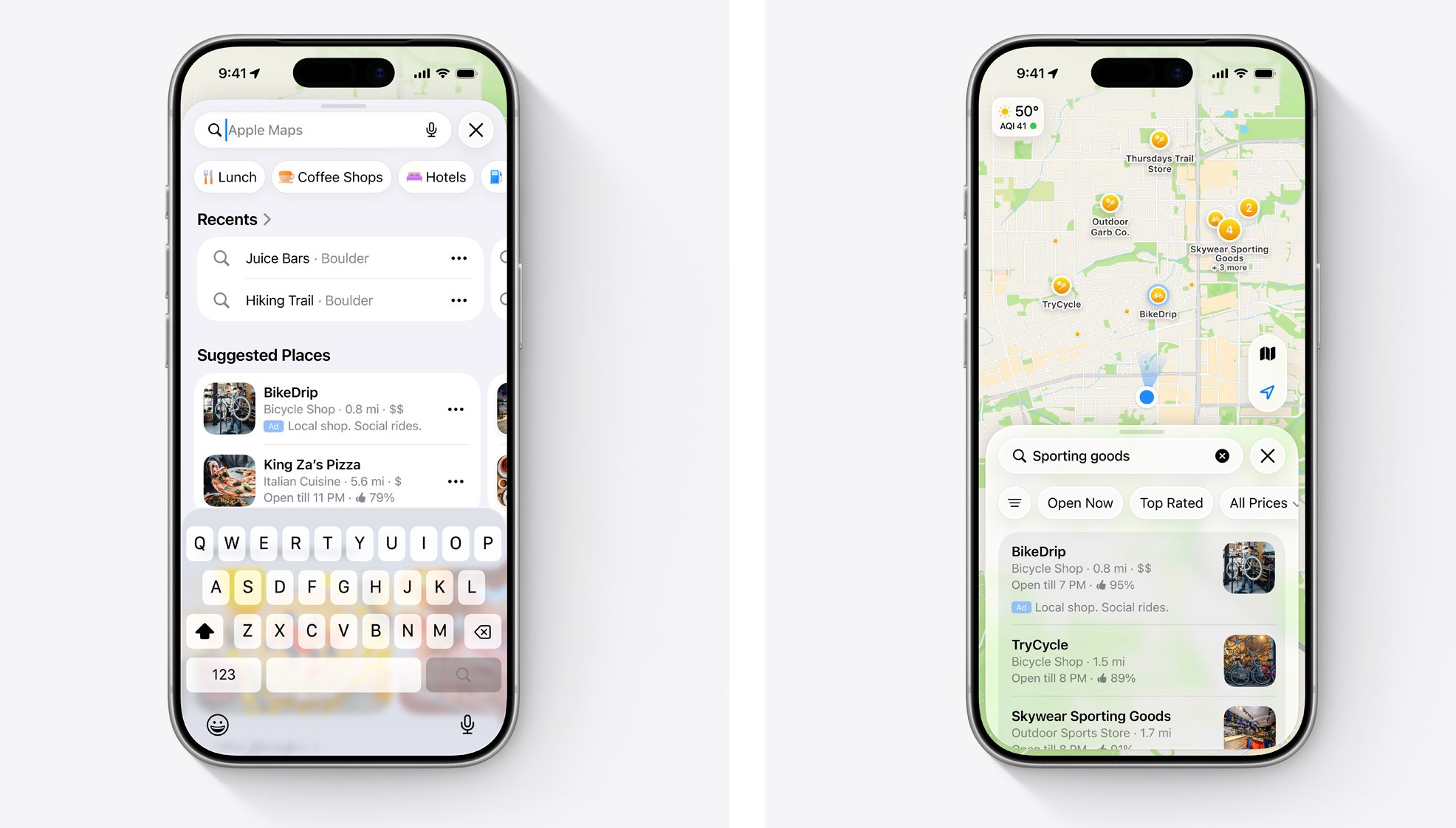
The platform launched Aug. 14 after Apple announced in March that Maps advertising would arrive in summer 2026. Businesses can create campaigns, choose monthly spending limits, upload photos and add promotional messages, according to MediaPost.
Ads can appear at the top of relevant search results or at the top of Maps’ Suggested Places section before a user searches. Apple says sponsored locations will be clearly labeled, as platforms face broader scrutiny over how paid search results are presented. Customers can call a business or get directions directly from an ad.
Apple is selling high-intent searches
The appeal for advertisers is straightforward: Maps users are already looking for somewhere to go.
Apple says more than 1 billion relevant searches for businesses occur on Maps each month and that one in two results in a user taking action. Gen Z and millennials also account for 57% of Maps users, based on a GWI Core Study cited by Apple.
Businesses can use Apple Business for an automated campaign experience, while agencies and advertisers seeking greater control can use the Apple Ads platform. Apple Ads supports campaign scheduling, keyword selection, location targeting and additional bidding options. Its API also allows advertisers to manage campaigns and retrieve reports programmatically.
Apple is also offering an introductory incentive. Eligible businesses can receive a monthly statement credit equal to 15% of their ad spending for up to one year, capped at $1,000 per month per brand. Apple says eligibility restrictions and additional terms apply.
Apple is positioning Maps ads as a privacy-focused alternative to advertising based on detailed personal profiles. The company says targeting uses contextual signals such as approximate location, search terms and the visible map area rather than precise location history, age or gender. Apple also says users’ personal data is not collected or stored for these ads or shared with advertisers.
Not every business can buy space
The new marketplace comes with significant restrictions. Apple limits Maps advertising primarily to businesses with physical locations customers can visit.
Home-service companies, including plumbers, electricians, locksmiths, HVAC businesses, roofers and pest-control companies, are barred. Other restricted categories include gambling, dating, alcohol, religious advertising, cryptocurrency ATMs and some medical services. Political advertising is also prohibited.
A new battleground for local advertising
Unlike traditional display advertising, location-based placements can reach customers close to making a purchase or visit — a market Google is also expanding through specialized local ads. That makes the placement potentially valuable for businesses competing for nearby customers, but it also means advertisers will have to prove that paying for the top spot produces enough calls, directions and visits to justify the cost.
Apple is effectively turning Maps into another commercial doorway alongside its existing advertising business. For local businesses, that creates another place to spend money — and another platform to measure carefully before committing a larger budget.
Read more: Apple’s privacy positioning extends beyond advertising, but a multibillion-dollar lawsuit involving facial analysis in Apple Photos shows how closely its on-device data practices are being scrutinized.
>
OpenAI has rolled out Computer History, a new opt-in feature for the ChatGPT desktop app on macOS that records activity across permitted apps and websites, turning it into a searchable timeline and local memories for ChatGPT and Codex. The feature requires ChatGPT Memories to be enabled.
Users can ask questions such as what they were working on before a break, where they last saw a document or what they accomplished during the day. ChatGPT can use the activity timeline to identify the relevant file, conversation or website and then access that source directly.
OpenAI says Computer History replaces its earlier Chronicle research preview, but the two work differently. Chronicle relied on screenshots, while the new system records interaction events such as clicks, typing, keyboard shortcuts and app switching through macOS accessibility features.
“Computer History doesn’t rely on screen or audio capture. Instead, it captures interaction events like clicking, typing, app switches, and more, so it can capture memories faster and more efficiently,” OpenAI’s Dominik Kundel said in an announcement video.
From memory to automation
The more interesting part of Computer History may be what happens after ChatGPT learns a user’s routine. When the system spots a repeated workflow, it can suggest turning it into a skill or automation. Users can then ask Codex to build a reusable workflow based on the recorded activity.
That pushes ChatGPT beyond simply remembering previous work. It gives the system a way to learn how a person performs tasks and potentially reproduce those steps later. For businesses, that could make repetitive processes easier to automate, extending ChatGPT’s growing role across connected office apps, files and websites. For individual users, it could reduce the friction of returning to unfinished work or finding something they vaguely remember seeing.
The privacy trade-off
OpenAI has built several controls around the feature. Users choose which apps and websites contribute, can pause collection from the macOS menu bar and can delete individual entries or larger periods of history. Private-mode browsing is excluded automatically.
The company also says Computer History does not capture screenshots, screen recordings, microphone input or system audio. Temporary event files remain on the Mac for up to 48 hours before deletion after processing, while generated memory files remain locally until the user removes them.
But the local storage comes with an important caveat: OpenAI says the memory files are plain-text and are not encrypted by Computer History. Other programs running under the same macOS user account may potentially access them. OpenAI also warns that the feature increases the risk of prompt injection because malicious instructions on websites or inside applications could enter the context available to ChatGPT or Codex.
A new bet on personal AI
Computer History signals a broader shift in how OpenAI sees AI assistants. Instead of waiting for users to explain what they need, ChatGPT can build context from the work already happening around it.
That could make AI agents considerably more useful, but it also raises the cost of a mistake. The more an assistant knows about someone’s daily workflow, the more valuable its memory becomes, and the more carefully that memory needs to be protected.
For users, the practical choice is therefore less about whether Computer History is useful and more about where its usefulness outweighs the privacy and security trade-offs. OpenAI has made the feature optional and controllable, but its own warnings suggest that selective use may be wiser than simply switching it on everywhere.
The feature is available to ChatGPT Pro, Business and Enterprise users, although Business and Enterprise administrators must first grant access before employees can enable it. It is off by default and currently unavailable in the European Economic Area, Switzerland and the United Kingdom.
Read more: Computer History’s prompt-injection warning reflects a broader agent-security problem, as OpenAI’s GPT-5.6 tests found higher attack success rates when malicious instructions came through tools and external content.
>

How to watch Dodgers vs. Rockies: TV channel and streaming options for August 17

Turn an Android Phone Into a Desktop PC: What Actually Works

Late-Night Went Really Dark This Summer
-

 movies3 months ago
Search For Canadian TV Actor Stewart McLean Now Homicide Investigation
-

 Fashion9 years ago
These ’90s fashion trends are making a comeback in 2017
-
Fashion9 years ago
According to Dior Couture, this taboo fashion accessory is back
-
Fashion9 years ago
Model Jocelyn Chew’s Instagram is the best vacation you’ve ever had
-
Fashion9 years ago
Emily Ratajkowski channels back-to-school style
-
Fashion9 years ago
9 Celebrities who have spoken out about being photoshopped
-
Fashion9 years ago
Your comprehensive guide to this fall’s biggest trends
-
Fashion9 years ago
A photo diary of the nightlife scene from LA To Ibiza