Old Amazon Fire tablets are too slow for everyday use — but that changes the moment you stop asking them to multitask. How-To Geek’s Joe Fedewa shows how turning a dusty Fire tablet into a “unitasker” — one device, one job — gives it a genuinely useful second life.
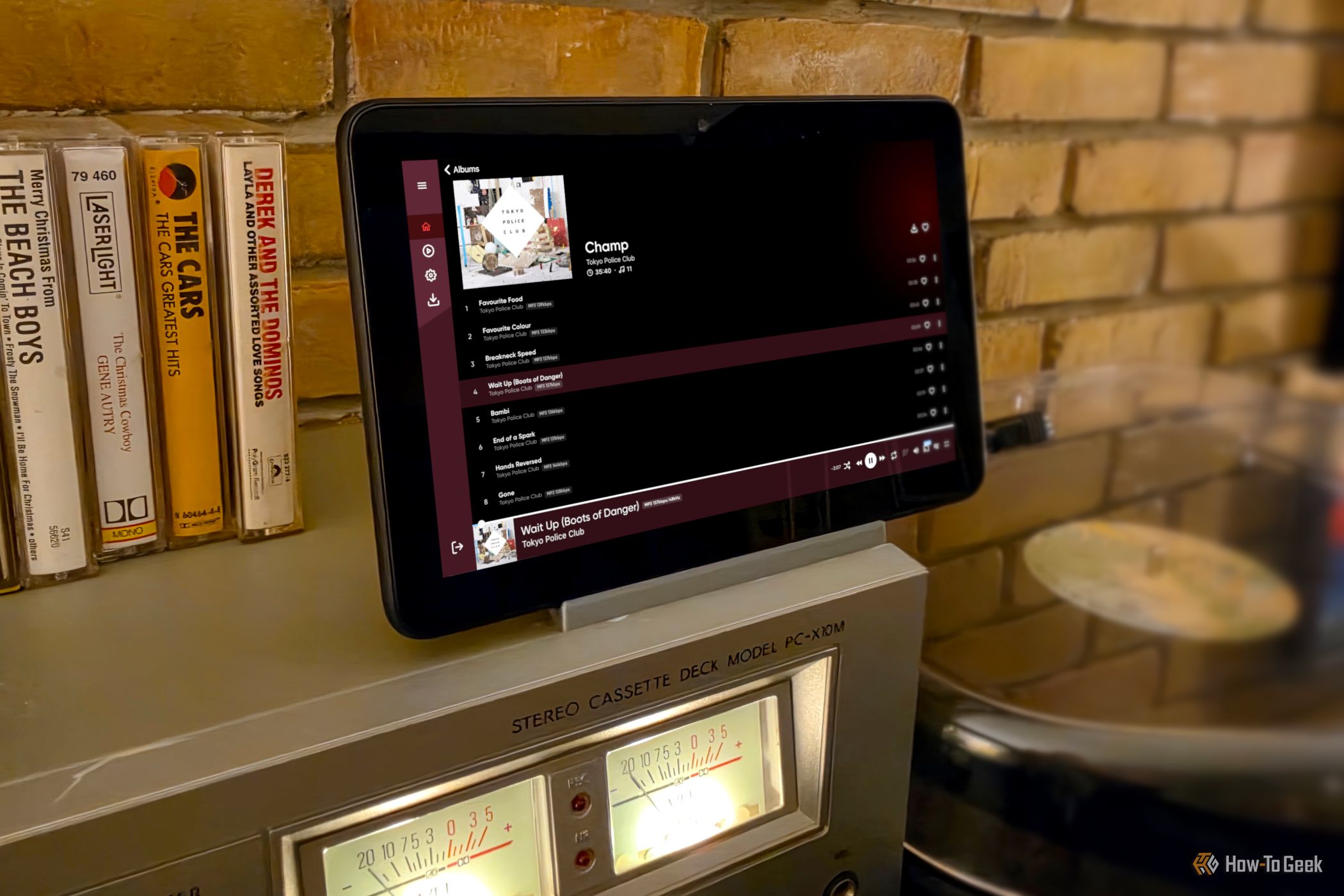
Amazon Fire tablet repurposed as a music station (Credits: How-To Geek)
How to Repurpose an Old Fire Tablet
The secret is stripping the tablet down first: remove Amazon’s bundled junk apps and everything superfluous, then install only what the single job needs. Fire tablets are cheap, so most of us have at least one gathering dust — and a device with performance limits handles one task far better than a dozen.
Example 1: A Dedicated Music Station
Fedewa turned a Fire 7 into a music terminal for his den’s stereo setup — turntable, cassette deck and speakers. He installed the Emby app (his music lives on an Emby server) and connected the tablet to the sound system through its 3.5mm headphone jack. Useful extras: a 3.5mm-to-RCA cable and an RCA switcher box — his cost only $17 — for sharing speakers with other players. The deliberate friction of a dedicated station keeps him patient with full albums instead of skipping.
Example 2: An Android Auto Display for Your Car
His low-tech 2009 Chevy Silverado has no infotainment screen, so he used a Fire HD 8 as the display instead. Setup: sideload Open Headunit from its GitHub page, run the Quick Setup (pick display size and orientation), then in Settings choose WiFi connection mode, Wireless Helper, and under Advanced set the helper strategy to WiFi Direct. Remember: Android Auto runs on your phone — the tablet just needs to accept the projection.
Also Read:
Also Read: Foldable Phone Wobbles on Tables? This 3D-Printed Folding Accessory Fixes It | Typing on Your Phone? You Need a Bluetooth Keyboard With a Built-In Stand
Source: How-To Geek — read the full story there.