
Tech
The 2026 Startup Battlefield 200 is here — see who made the cut

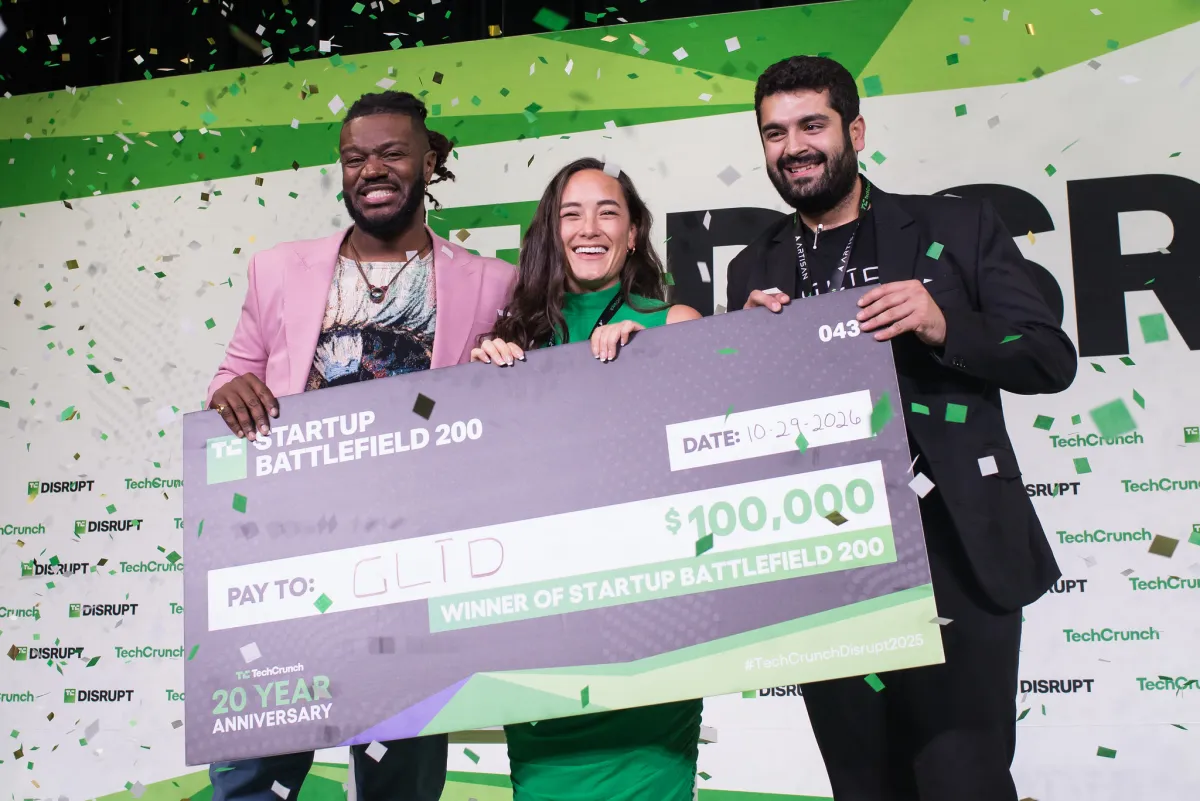
We’re thrilled to unveil the 2026 Startup Battlefield 200 — TechCrunch’s annual, handpicked list of the 200 most promising early-stage startups from around the world.
These founders rose to the top from thousands of applications spanning every industry and geography. Their reward? A coveted spot to exhibit at TechCrunch Disrupt 2026, taking place October 13–15 in San Francisco’s Moscone West. This is the cohort to watch — and this fall, you’ll get to meet them in person.
From AI to climate, health to fintech, robotics to consumer — these are the companies shaping the future across every major category.
A special thank-you to Google for Startups and SAP, our premier sponsors, for helping early-stage startups build, scale, and succeed.
Only at Disrupt can you:
- Watch live demos of never-before-seen tech.
- See Battlefield companies pitch in front of top global VCs.
- Cheer them on as they compete for $100,000, equity-free, and the iconic Disrupt Cup.
Are you a VC scouting the next breakout investment? A tech enthusiast looking to stay ahead of the curve? An early-stage founder who missed the Startup Battlefield 200 application deadline because you were too busy building a robot in your garage?
Step onto the battlefield. Join us at Disrupt 2026. Register for your ticket before prices go up in September.
Now, the moment you’ve been waiting for…
Presenting the 2026 Startup Battlefield 200
Agtech and food
Canopii
Delight Food Inc.
GreenBox
Muju Earth Technologies Limited
NakedPak
Automotive and transportation
Cautio
Laplace Intelligence
Motion Sync Technologies Inc.
MyMonthlyCar Inc.
Neumo
Urbanchain
Biotech and pharmaceuticals
Alithea Biotechnology
Apertum Neuroscience
BioTrillion
BRAIV
ChemT Biotechnology
Efferon
Infiuss Health
Intero Biosystems
Lume Health Technologies
MyoGene Bio
Nanotrace
ORAIN Biotechnologies
OrganNexus
Sit Sense, Inc.
StuffThatWorks
Sunny
Consumer
Biuty.ai (BelleTech, Inc.)
Chaos Audio LLC
Commissary Club
Craze
Genza Inc.
Hiyd AI
OHLA LLC
Prolo Inc.
Richualist
Swippitt
Tingit
Tressfecta
Yopi SAS
Cybersecurity
Apate.ai
Cerberus
Cude Labs
DetectifAI, Inc.
Hardshell
Indora Labs
MagicSword Inc
PsyberCog Labs, Inc..
Rein Security
Spektrum Labs
Straiker
Trotta
Tzun
E-commerce and retail
Crease Beast
DeepLumen
SDX Holding Limited
SyenApp
Veritas
Wear It AI, Inc.
Edtech
BuddyPro
ConfiTalk Ltd (YNova.ai)
Efiwe AI Nigeria Limited
LicenseCare
MuseCool
ROYO
ScrollEd
Video Pro Learning
WeGlobal
Energy and clean tech
Adden Energy
Armeta Inc.
ChargeMate
Climasel Ltd.
CubeNexus
Danu Water
GinnoLab
Helix Carbon
Licube, Inc.
LNK Energies
Noble Carbon
Petra Power
Enterprise tech
AIEEV Inc
Aiphrodite
Ardook Data
Ariso
Arusto
Bounty
Buzz & Beyond
Collar AI
Cotriply
Dosu
EasyMate AI
Expert Scale Inc
GUDEA
GuideAI
Kilo
Latch AI
Marketrix
Mesh
Paraverse Technology Limited
Pocodot
Trinitite
YOUnifiedAI, Inc.
Entertainment and media
Edit on the Spot
Maka Kids
Press Club
Sound AiSleep
Soundcheck Live
Fintech
Allin AI
Aparta
CedarDB
Climat8
Finaive
FirstGlance
Gemba
HODOR
Prismm
Tabby
TaxFigure
Verapath
Zeeh Global
Government, legal, and regulatory
Bakua AI
Legali AI
Lexsy
Pollsee
wellplayd GmbH
Health and wellness
Avedian
Care Mojo
Circuit Breaker Labs
Forela
Greenairy Pte Ltd
Imagine Devices Inc.
Lifescapes
LumenUs
MindMuscle
Mutanex
Nervotec
Ocean Friends Inc
OmicXHealth
Panacea
Predictheon Medical
Sama Fertility
TimeTeller GmbH
Uhura Bionics
Valene Health
Virtuosis
Voythos
WoafMeow
Human resources and recruiting
AskMAE ai LLC
NTangible Inc.
Reel Analytics
SLI.pro
Your360 AI
Logistics and supply chain
Atreus
Destro AI
Dexa
NuPort Inc
Ridelink Inc
SSINDEX | Stakeholders Sustainability Index
Manufacturing and industrial
Airs ML
ArgosVision
Bioroom Mycelium Materials
CIT Co., Ltd.
Danu Robotics Ltd
IndustrialNext
MUI Robotics Co. Ltd.
Nexterity, Inc.
Niobia AI
Ortex
Planck Lab Inc.
Reclaim Metals
STRUCMEDICA
Marketing and advertising
Floqer
Honeyjar
Intuition Intelligence
LOOQ
onSpark
Prodisphere
Snoika OÜ
Real estate and proptech
Blueprints AI
Propra Technologies Inc.
Super Polymer
Titl
Vitrobot
Watad
Ziffy.ai
Smart cities and infrastructure
ConeLabs
Flox Intelligence
Lumai
Mosqitter Inc
Snowbotix
Space and defense
ItsWare Inc
Lola Vision Systems
Longshot Space
MARASA Corporation
Public Access LLC
Rocket Fast Drones
SatEnlight
Satlyt
Symphony Space Inc
xOrbita Inc.
Every year, Startup Battlefield alumni go on to build category-defining companies — including Dropbox, Cloudflare, and Discord. With over $32 billion raised and 250 exits, the Startup Battlefield track record speaks for itself.
The top 20 finalists from this list will be revealed live on Day 1 of Disrupt on October 13, so be sure to follow along.
If you’ve applied for Startup Battlefield this year
If your startup made the list, keep an eye on your inbox — we’ll be in touch shortly with time-sensitive next steps. If you applied but don’t see your company here, you’ll also receive an official update from us soon. Due to the high volume of submissions, we’re unable to respond to individual application inquiries.
As for the rest of you …
Witness Startup Battlefield 200 live at Disrupt 2026
Get out of your inbox and get ahead of the game at TechCrunch Disrupt 2026 on October 13-15 at Moscone West in San Francisco.
Secure your spot at TechCrunch Disrupt. Prices will go up in September.
Startup Battlefield is proudly presented by Google for Startups and SAP, our premier sponsors.
When you purchase through links in our articles, we may earn a small commission. This doesn’t affect our editorial independence.
>
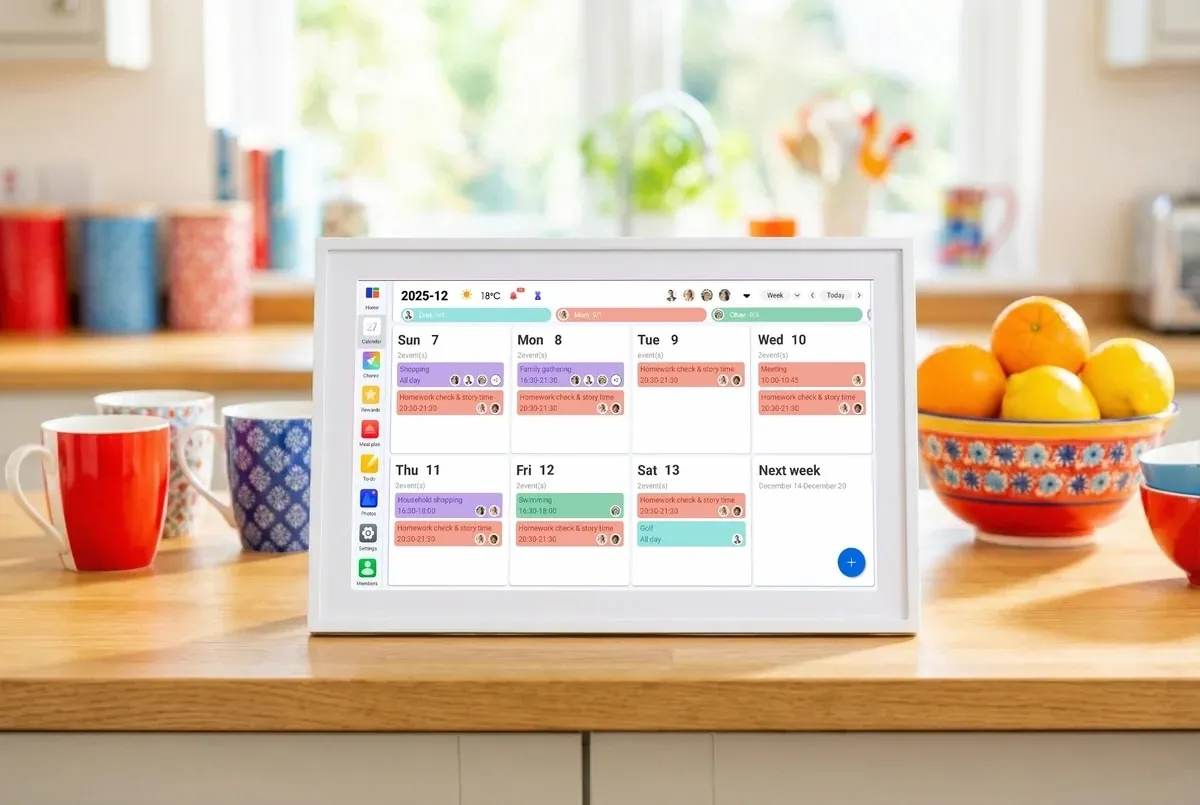
With back-to-school season approaching (or already here in some places), keeping track of everyone’s schedules can get pretty chaotic. Between work, school, appointments, sports, chores, and everything else going on, a regular paper calendar just doesn’t cut it. That’s where Linkdaze’s smart digital calendar comes in — a wall-mounted touchscreen tablet built specifically to organize a household rather than a single person.
One of Linkdaze’s biggest strengths is its calendar compatibility. The system can synchronize calendars from popular services including Google, iCloud, Outlook, Yahoo, and Cozi, which is a dedicated family-organizing app. This is particularly useful for families where different members use different platforms. Instead of asking everyone to switch to a single calendar app, Linkdaze brings multiple schedules together and uses color coding to make individual family members easy to identify.
Linkdaze is available in 15.6-inch and 10.1-inch models, giving you some flexibility depending on how much wall space you have. Beyond calendars and appointments, you can use it for chores and rewards, meal planning, shopping lists, and other family organization. It can even double as a digital photo frame for displaying family photos.

The most interesting feature, however, is Linkdaze’s AI meal planner with “Snap-to-Sync.” Instead of manually entering everything into a meal-planning app, you can take a photo of a paper recipe or your kid’s school lunch menu. Linkdaze will turn that information into a digital meal plan and generate a shopping list from it. While not an entirely new idea, it’s a useful feature that helps Linkdaze stand out from a basic digital calendar.
Another big plus is that Linkdaze doesn’t require a monthly subscription for its main features. It’s an interesting choice in a category where recurring revenue has become the default. Skylight, a competing smart-calendar brand, offers additional features through its $79 per month subscription. For a hardware company entering a crowded smart-display market, that decision is either going to differentiate its product or look like a lost revenue stream, depending on how the business scales.
Linkdaze is also less expensive upfront, with the 10.1-inch model priced at $119.99 compared with Skylight’s 10-inch model at $159.99.
Overall, this device could make a practical gift for busy parents who are trying to keep everyone’s schedules in one place. It could also be a great fit for college apartments, where roommates can use it to coordinate chores, study schedules, shared meals, and other household responsibilities. It’s also very helpful for those of us juggling interviews, deadlines, meetings, and story assignments.
When you purchase through links in our articles, we may earn a small commission. This doesn’t affect our editorial independence.
>
Windows updates and inconvenient restarts have been uneasy roommates for decades. Microsoft is now trying to make them see much less of each other.
Windows 11 hotpatching allows eligible business PCs to install certain monthly security updates without restarting. Combined with Microsoft’s newer effort to consolidate other Windows updates around a single monthly restart, the company is making a broader push to reduce one of the most disruptive parts of enterprise patch management.
But hotpatching does not mean the end of the Windows reboot. For IT teams considering the feature, the more useful questions are how many restarts it can actually eliminate, which organizations need to use it, and where the exceptions begin.
What is Windows 11 hotpatching?
Hotpatching allows Windows to apply eligible security fixes to a running operating system without requiring an immediate device restart.
According to Microsoft’s Windows hotpatch documentation, hotpatches are monthly security updates designed to reduce downtime and help organizations keep devices patched with fewer interruptions.
Hotpatches also have another practical advantage for businesses managing large device fleets: Microsoft says their package sizes are significantly smaller than standard cumulative updates, allowing them to install faster and consume less network bandwidth.
The technology has also expanded to Arm64 PCs. Microsoft’s August 2026 Windows 11 hotpatch release made hotpatching generally available for eligible Windows 11 versions 24H2 and 25H2 Arm64 devices.
There is an additional setup requirement for those systems. Arm64 devices must have Compiled Hybrid PE, or CHPE, disabled because Microsoft says the compatibility layer is incompatible with hotpatch updates. Disabling CHPE requires a one-time restart before the device is ready for hotpatching.
TechRepublic readers have already seen the technology put to practical use. In March, Microsoft used an out-of-band hotpatch to address critical Windows 11 RRAS vulnerabilities without requiring affected systems to restart.
That ability becomes particularly valuable when a serious security problem appears in the middle of a workday. Instead of choosing between delaying an important patch and interrupting users, administrators may be able to install an eligible security fix while systems remain running.
Hotpatching doesn’t eliminate Windows restarts
There is, however, a sizable asterisk attached to the “no restart” description.
Microsoft normally divides its hotpatch schedule into quarterly cycles. Under its planned schedule, the first month of each quarter receives a baseline cumulative update, which requires a restart. Eligible devices can then receive security hotpatches during the following two months without restarting.
The normal schedule looks like this:
| Q1 | January | February, March |
| Q2 | April | May, June |
| Q3 | July | August, September |
| Q4 | October | November, December |
Microsoft’s Windows hotpatch guidance describes a planned annual cadence of four baseline months and eight hotpatch months. That does not mean administrators should expect exactly four security-related restarts every year.
Microsoft can add baseline months when necessary. Its servicing documentation specifically warns that additional baseline releases can occur, changing the normal hotpatch schedule.
There are other ways devices can leave the expected cadence. If a device enters a hotpatch month without the latest baseline installed, Microsoft says it will receive both the baseline update, which requires a restart, and the latest hotpatch.
Upgrading Windows versions can also affect the cycle. An eligible device upgraded during a baseline month can remain on the hotpatch cycle. Upgrade it during a hotpatch month, however, and Microsoft says the device switches to standard updates until the next baseline release, requiring a restart.
Firmware, application, operating system, emergency, and other updates may also require reboots.
IT administrators should therefore treat Microsoft’s four-baseline, eight-hotpatch pattern as a planned servicing cadence, not a guaranteed annual reboot count.
Microsoft is attacking the reboot problem from another direction, too
Hotpatching isn’t Microsoft’s only attempt to make Windows updating less disruptive.
Beginning with updates released on or after July 28, 2026, Microsoft started rolling out an update experience that groups several restart-requiring Windows updates together rather than letting them trigger separate restarts throughout the month.
Under Microsoft’s “one restart a month” Windows Update approach, driver, .NET, firmware, and monthly security updates can be coordinated to share a single scheduled restart. The feature is rolling out gradually, however, and Microsoft cautions that it may not yet be available on every eligible device. Emergency and out-of-band updates can still install immediately, as can critical or expedited driver updates.
The distinction between Microsoft’s two approaches is important. The one-restart initiative consolidates updates that still require a reboot. Hotpatching, meanwhile, removes the immediate reboot requirement from eligible security updates on devices that remain eligible for hotpatching.
Used together, the two strategies point to a Windows servicing model in which restarts are less frequent and, when unavoidable, more predictable. That could be significant for administrators already dealing with a busy Windows security calendar. Microsoft’s July 2026 Patch Tuesday, for example, addressed a record 570 security vulnerabilities, including exploited zero-days.
Which Windows 11 devices are eligible for hotpatching?
Hotpatching is primarily intended for managed business environments, and organizations can’t simply enable it on every Windows 11 PC.
For its current Windows 11 client hotpatch releases, Microsoft supports eligible configurations running Windows 11 version 24H2 or 25H2. Administrators should verify individual Windows releases against Microsoft’s current hotpatch documentation rather than assuming every version newer than 24H2 is automatically supported.
Devices must also have the latest applicable baseline update installed and Virtualization-based security, or VBS, running.
Organizations need Microsoft Intune and must enroll devices in a Windows quality update policy with hotpatching enabled. Arm64 PCs have the additional CHPE requirement. Administrators must disable CHPE and restart those systems once before they can receive hotpatch updates.
Licensing is another consideration. Microsoft’s current hotpatch documentation lists eligible subscriptions including:
- Windows 11 Enterprise E3 or E5
- Microsoft 365 F3
- Windows 11 Education A3 or A5
- Microsoft 365 Business Premium
- Windows 365 Enterprise
Microsoft documentation should be checked for the latest qualifying subscriptions before deployment, as licensing and eligibility requirements can change.
Organizations can review Microsoft’s full hotpatch eligibility and configuration requirements before planning a rollout.
Devices that no longer meet hotpatch prerequisites aren’t simply left unpatched. Microsoft says ineligible devices receive the standard Latest Cumulative Update instead, keeping them on the normal Windows servicing path. That update requires a restart.
This fallback helps maintain security coverage, but it also means fleet consistency matters if an organization wants the operational benefits of hotpatching.
More Microsoft news
Is Windows 11 hotpatching worth enabling?
For organizations that already use Intune and hold eligible Microsoft licenses, hotpatching has a fairly straightforward appeal: fewer mandatory reboots without deliberately postponing eligible monthly security patches.
The benefit becomes larger as the number of managed endpoints grows.
A reboot that costs one employee a few minutes might seem trivial. Multiply that interruption across hundreds or thousands of devices, however, and predictable patching becomes an operational issue. Systems used for kiosks, frontline work, long-running processes, remote work, or other availability-sensitive tasks may benefit even more.
Smaller update packages could also help organizations managing PCs across constrained or remote networks.
But administrators should not mistake hotpatching for protection against every Windows update problem. Updates can still introduce compatibility issues, and baseline releases remain a necessary part of Microsoft’s servicing model.
Windows recovery capabilities matter for precisely that reason. Microsoft has also been expanding Windows 11 resilience tools, including Point-in-Time Restore to recover PCs after failed updates, driver issues, and system corruption.
The better way to think about hotpatching is not as the end of rebooting, but as another tool for reducing the operational cost of keeping Windows secure.
Fewer reboots, not zero reboots
Microsoft appears to be changing the philosophy behind Windows Update from “restart when necessary” toward “interrupt the user as little as necessary.”
Hotpatching removes the immediate reboot requirement from eligible monthly security releases for devices that remain compliant with Microsoft’s hotpatch requirements. The consolidated restart model attempts to bundle other interruptions. Recovery tools are being strengthened for situations where updates still go wrong.
For IT teams, that’s meaningful progress, but not permission to forget about maintenance windows.
Baseline updates will still require restarts. Additional baseline releases can alter Microsoft’s normal schedule. Devices that become ineligible for hotpatching fall back to standard cumulative updates, and emergency, hardware, firmware, and application updates may require additional restarts.
The prize isn’t a reboot-free Windows environment. It’s a Windows fleet where security teams can patch faster, and administrators have fewer surprise interruptions to manage.
Related reading: For organizations still managing older PCs, TechRepublic’s Windows 10 ESU cheat sheet breaks down the costs, eligibility rules, coverage, and deadlines for keeping Windows 10 systems patched after support ends.
>
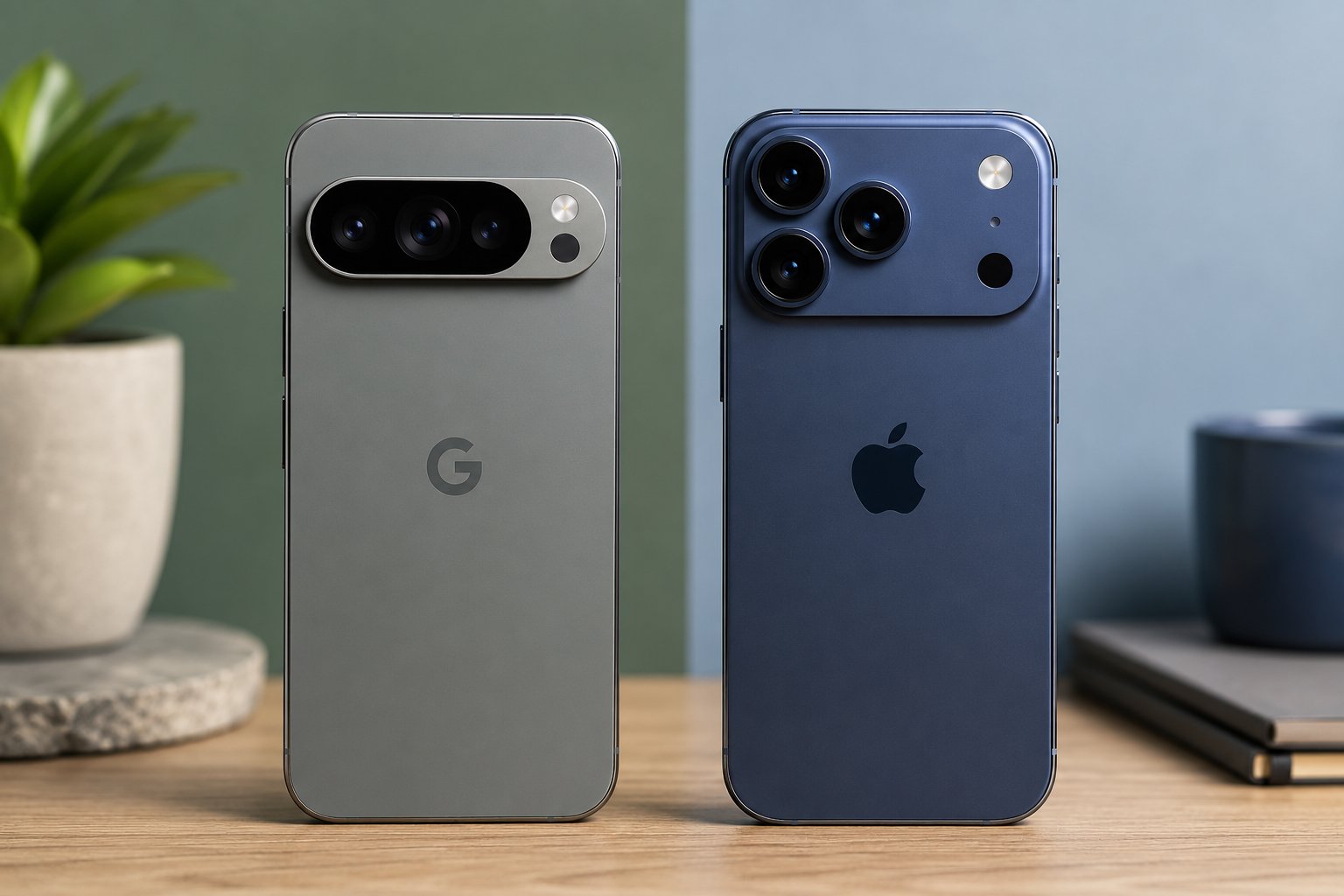
The Pixel 11 Pro and iPhone 17 Pro now have the same starting price: $1,099 with 256GB of storage.
That makes the comparison unusually direct. Google emphasizes Gemini and long-range still photography, while Apple leans on professional video tools and its wider device ecosystem.
At the same price, the choice comes down to which strength fits how you use your phone.
Quick comparison
| Pixel 11 Pro | iPhone 17 Pro | |
|---|---|---|
| Starting price | $1,099 | $1,099 |
| Storage | 256GB, 512GB, 1TB | 256GB, 512GB, 1TB |
| Chip | Tensor G6 | A19 Pro |
| Rear cameras | 50MP + 48MP + 48MP | 48MP + 48MP + 48MP |
| Front camera | 42MP | 18MP |
| AI | Gemini Intelligence | Apple Intelligence |
| Stated update support | Seven years | No fixed term stated |
Same price, different camera strengths
Pixel 11 Pro’s $1,099 entry point follows Google’s confirmed Pixel 11 price increase, although Google also doubled the base storage from 128GB to 256GB. Its official hardware specifications show 12GB of RAM on the 256GB model and 16GB on the 512GB and 1TB versions.
The camera hardware points to different priorities. Pixel 11 Pro has a 50MP main camera, 48MP ultrawide, 48MP 5x telephoto, and 42MP front camera. Google’s Pro Zoom reaches 120x, giving the Pixel considerably more digital reach on paper.
The iPhone 17 Pro uses three 48MP rear cameras and an 18MP Center Stage front camera. Apple lists an 8x optical-quality telephoto option and digital zoom up to 40x. Those numbers alone do not determine image quality, but buyers who regularly shoot distant subjects get substantially more advertised zoom range from the Pixel.
Apple has the clearer advantage for advanced video workflows. The iPhone supports ProRes RAW, Apple Log 2, genlock, 4K Dolby Vision at up to 120 fps, and Dual Capture. Those tools give creators more options for footage headed into professional editing or multi-camera setups.
Gemini, Apple Intelligence, and long-term support
Google is putting Gemini closer to the center of the Pixel experience. Its Pixel 11 features include proactive assistance, Rambler voice input that removes filler words, Live Translate, and Circle to Search directly in the camera viewfinder.
Pixel 11 Pro also includes six months of Google AI Pro, with expanded Gemini limits, 5TB of cloud storage, and Google Health Premium.
Apple Intelligence takes a different approach. Current iPhone features include Live Translation across Messages, FaceTime, and Phone, visual intelligence for onscreen content, and intelligent actions in Shortcuts. Existing Apple users also retain tighter integration with products such as Mac, Apple Watch, and AirPods.
Google promises seven years of OS, security, and Pixel Drop updates for Pixel 11 Pro. Apple describes the iPhone 17 Pro as receiving long-term software support but does not state a fixed number of years in its launch materials.
At $1,099, Pixel 11 Pro makes the stronger case for buyers prioritizing Gemini, long-range photography, and a defined update window. iPhone 17 Pro is easier to justify for buyers already invested in Apple devices or who want its deeper professional video toolkit.
Also read: Apple recently raised trade-in values across iPhones, Macs, iPads, and Apple Watches, with some devices gaining more than $100 in estimated credit.
>

Newspapers: Japanese Government to Abolish Cool Japan Fund – News

The controversial Manor Solomon chant and why West Ham have asked fans not to sing it

Linkdaze’s smart calendar is built to run a household, not just track a schedule
-

 movies3 months ago
Search For Canadian TV Actor Stewart McLean Now Homicide Investigation
-

 Fashion9 years ago
These ’90s fashion trends are making a comeback in 2017
-
Fashion9 years ago
According to Dior Couture, this taboo fashion accessory is back
-
Fashion9 years ago
Model Jocelyn Chew’s Instagram is the best vacation you’ve ever had
-
Fashion9 years ago
Emily Ratajkowski channels back-to-school style
-
Fashion9 years ago
9 Celebrities who have spoken out about being photoshopped
-
Fashion9 years ago
Your comprehensive guide to this fall’s biggest trends
-
Fashion9 years ago
A photo diary of the nightlife scene from LA To Ibiza