Want the Pixel 11’s most exclusive feature without buying a new phone? One writer has tested whether Google’s Rambler voice typing can work on an older Pixel 8a — and was impressed by the results. But there is an important catch you need to know before you try anything similar.
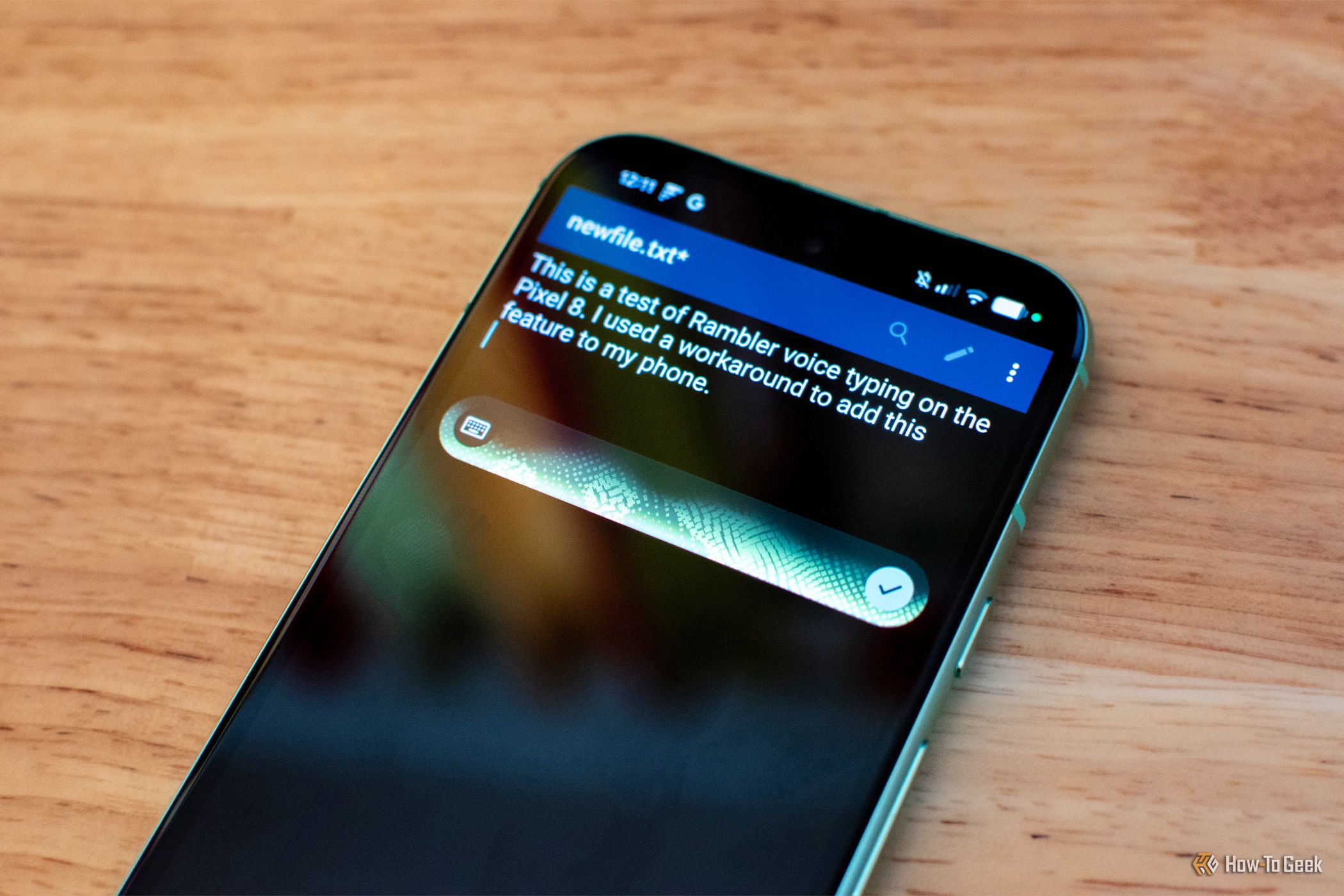
Pixel 11 Rambler on Pixel 8a was tested by How-To Geek’s Andrew Heinzman, who forced the feature onto his older device to see how well it could work outside the Pixel 11.
Pixel 11 Rambler voice typing (Credits: How-To Geek)
What Is Rambler, and Why Does It Matter?
Of all the Pixel 11’s new features, Rambler voice typing is the one that will benefit the most people, according to Heinzman, even if they never realise it is there. It replaces the standard voice dictation in the top-right corner of the Gboard virtual keyboard, and for the average person, the transition is fairly seamless: you do the thing you always did to type with your voice, but it works better.
Google’s standard voice typing tool can be extremely unreliable. It can mishear words, mangle or ignore punctuation, or just give up mid-sentence. The bigger problem, though, is spoken language itself. The way we speak in real life, especially casually, does not align neatly with written language — our speech is full of pauses, “uhhhs” and “ahs”, grammatical shortcuts, and mid-sentence self-corrections.
Rambler solves these problems by processing your speech through on-device and cloud-based AI. Instead of dumping every noise into a stream-of-consciousness transcript, it revises what you said, removing the wonkiness and adding a reasonable amount of punctuation while retaining your general tone.
How Rambler Lets You Edit by Voice
Rambler can also revise your speech more intensively. Because it is based around a large language model, there are no commands to memorise. You can simply say things like “make this sound more professional” or “make this shorter and more casual”.
Precision editing is supported too, with the option to ask Rambler to replace specific words, insert specific emoji, or add sentences within your dictated speech. That turns voice typing from a simple dictation tool into something closer to a voice-controlled editor — useful for messages, emails, and longer notes where tone matters as much as accuracy.
There is one quirk: Rambler does not offer real-time transcription. None of the words you speak appear on screen until you are done talking, and the only sign it is listening is a glowing animation on top of your keyboard. You can also swipe the keyboard down, leaving only the Rambler animation in a floating window, which is helpful when dictating long paragraphs in some apps. Heinzman argues the lack of immediate feedback is mostly a good thing, because traditional speech-to-text forces you to look for mistakes as you speak, which can be very distracting.
The Important Catch: Don’t Copy the Unofficial Method
Here is the part that matters most. Rambler is exclusive to the Pixel 11 (and the Googlebook), and Heinzman’s test involved installing a modified version of Gboard — something he explicitly notes is a violation of Google’s Terms of Service, done purely for journalistic purposes.
That means this is not a recommended how-to for ordinary users. Installing modified apps can put your account and your device at risk, and it is not a legitimate way to get a feature Google has not released for your phone.
If you are desperate for enhanced voice-to-text tools and cannot access Rambler legitimately, Heinzman suggests trying an alternative like Wispr Flow instead. That is the safer route: a legitimate tool designed for better dictation, without breaking Google’s terms or sideloading a modified keyboard.
The bigger takeaway from the test is still encouraging. Rambler worked impressively on an older Pixel 8a, which suggests the feature is not fundamentally dependent on brand-new hardware. Whether Google ever brings it to older Pixels officially remains to be seen — but for now, the legitimate path is to wait for an official rollout, or use a proper alternative in the meantime.
Also Read: Meet Google DeepMind’s Genie 4: Real-Time World Model With Native Audio and Gemini Planning | The Googlebook’s Best Feature Is the One Thing You Can’t See While You’re Using It
Source: How-To Geek — read the full story there.