Tired of manually toggling Windows 11 dark mode every morning and evening? Microsoft still won’t let you automate it — but PowerToys Light Switch does it for you, switching themes at sunset or on a schedule automatically. (Credits: How-To Geek)
Windows 11’s own theme controls (Settings > Personalization > Colors) offer Light, Dark and Custom modes, but no scheduling at all. That’s frustrating because Windows already schedules Night Light at sunset — it just adjusts color temperature, not the actual theme. Light Switch fills the gap.
How to Enable Automatic Dark Mode Scheduling in Windows 11
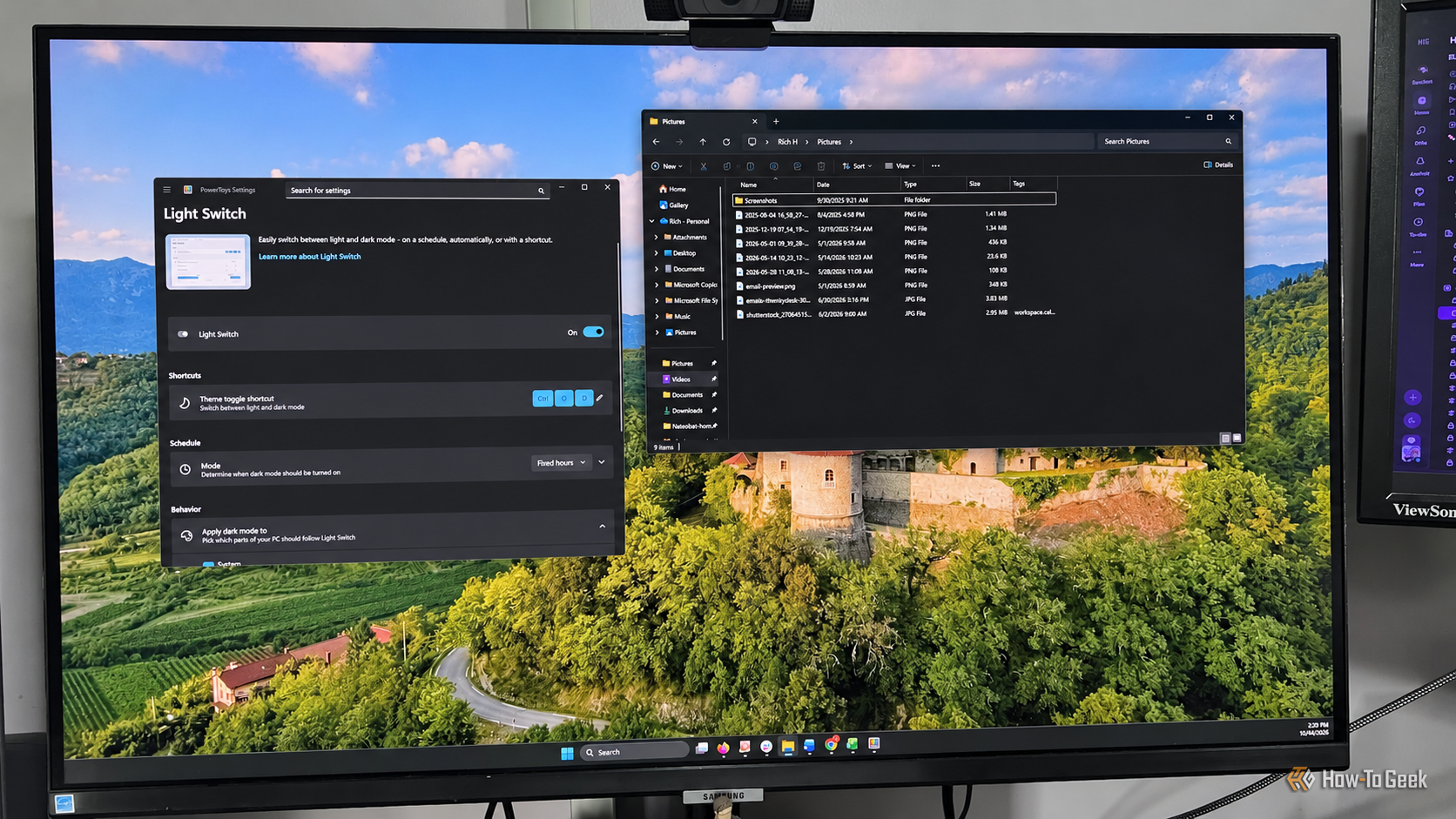
First, install or update PowerToys — it’s free from the Microsoft Store or GitHub. Open the app, find Light Switch under system tools in the left sidebar, and flip the toggle to enable it. No registry edits, third-party apps, or terminal commands needed.
Light Switch’s settings come in three sections: Schedule (when themes change — set it for sunset/sunrise or fixed hours), Behavior (apply changes to Windows, supported apps, or both), and PowerDisplay. You can also set a keyboard shortcut for manual switches — How-To Geek’s Rich Hein used Ctrl + Shift + D. The whole setup takes just a few minutes.
One caveat from the source: not every app cooperates perfectly — some programs may ignore the scheduled switches. But for anyone working from before sunrise to after sunset, it’s a genuine upgrade over toggling twice a day.
Also Read: Windows Modding Is Back: Open-Source Tools Like Windhawk Beat Microsoft’s Own Options
Source: How-To Geek — read the full story there.